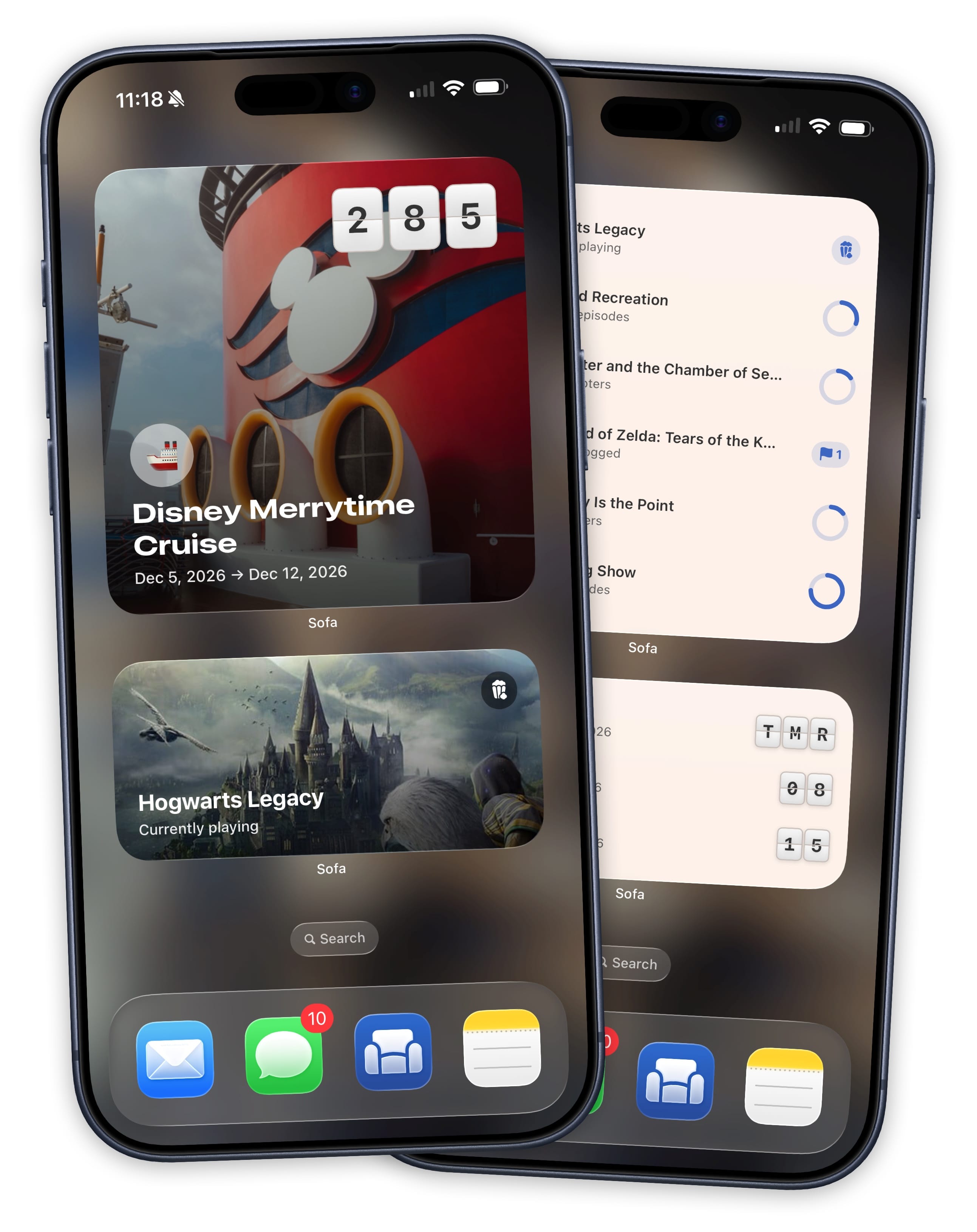
The Biggest Update Sofa Has Ever Had
Sofa 5 tracks your shows episode by episode, plays your podcasts, plans your trips, keeps your stats, and a bunch of other stuff. All in one app.
A Highly Flexible Progress Tracking Experience
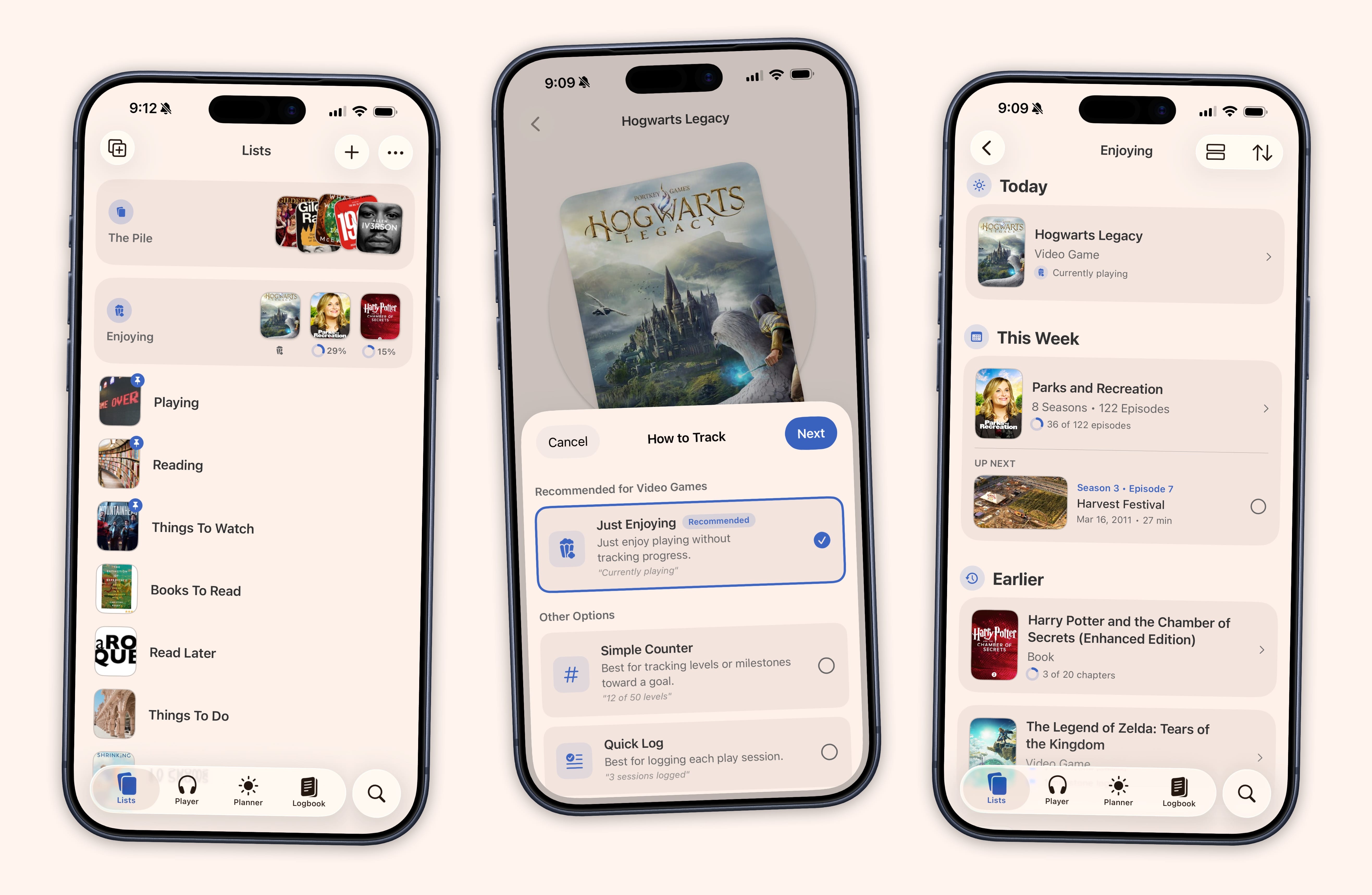
A show you started last month. A book on your nightstand. A game you keep meaning to get back to. Finding something new is easy. Remembering where you left off is the hard part.
Sofa 5 helps you keep track of this stuff. Progress rings show up on covers throughout the app so you can see where you stand at a glance. Your home screen shows what's next with one-tap checkboxes to keep things moving.
Five ways to track, depending on what fits: just enjoy with zero setup, tap to log, count pages, check off episodes, or keep a journal as you go. Pick one and switch anytime.
See How Tracking Works →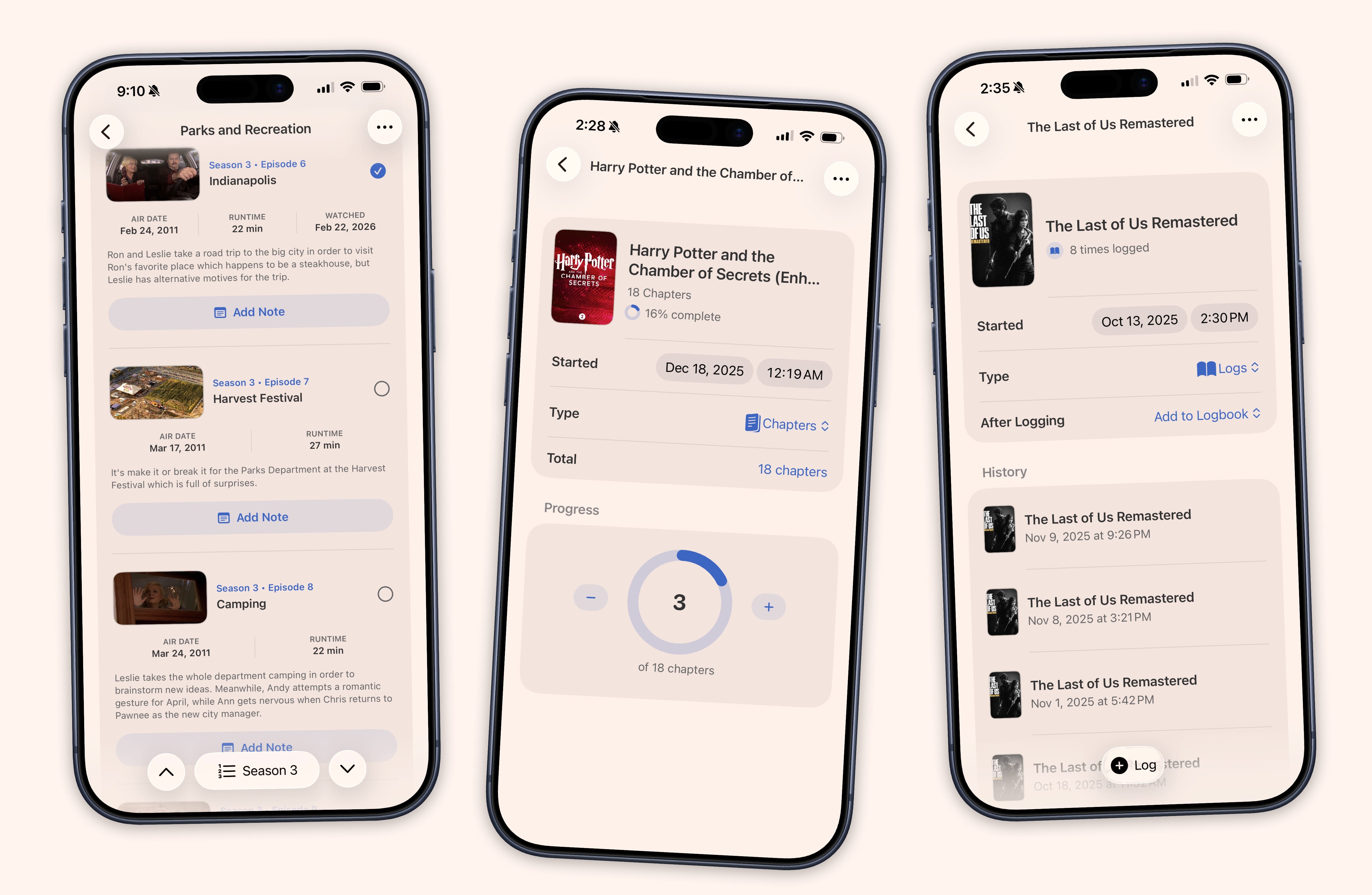
A Planner for Trips, Tasks, Notes, and a Timeline That Tracks Your TV Schedule Too
You're planning a trip and everything lives in a different place. The hotel confirmation is in your email. The restaurant list is in Notes. The flight info is in a screenshot somewhere. You haven't checked the weather yet.
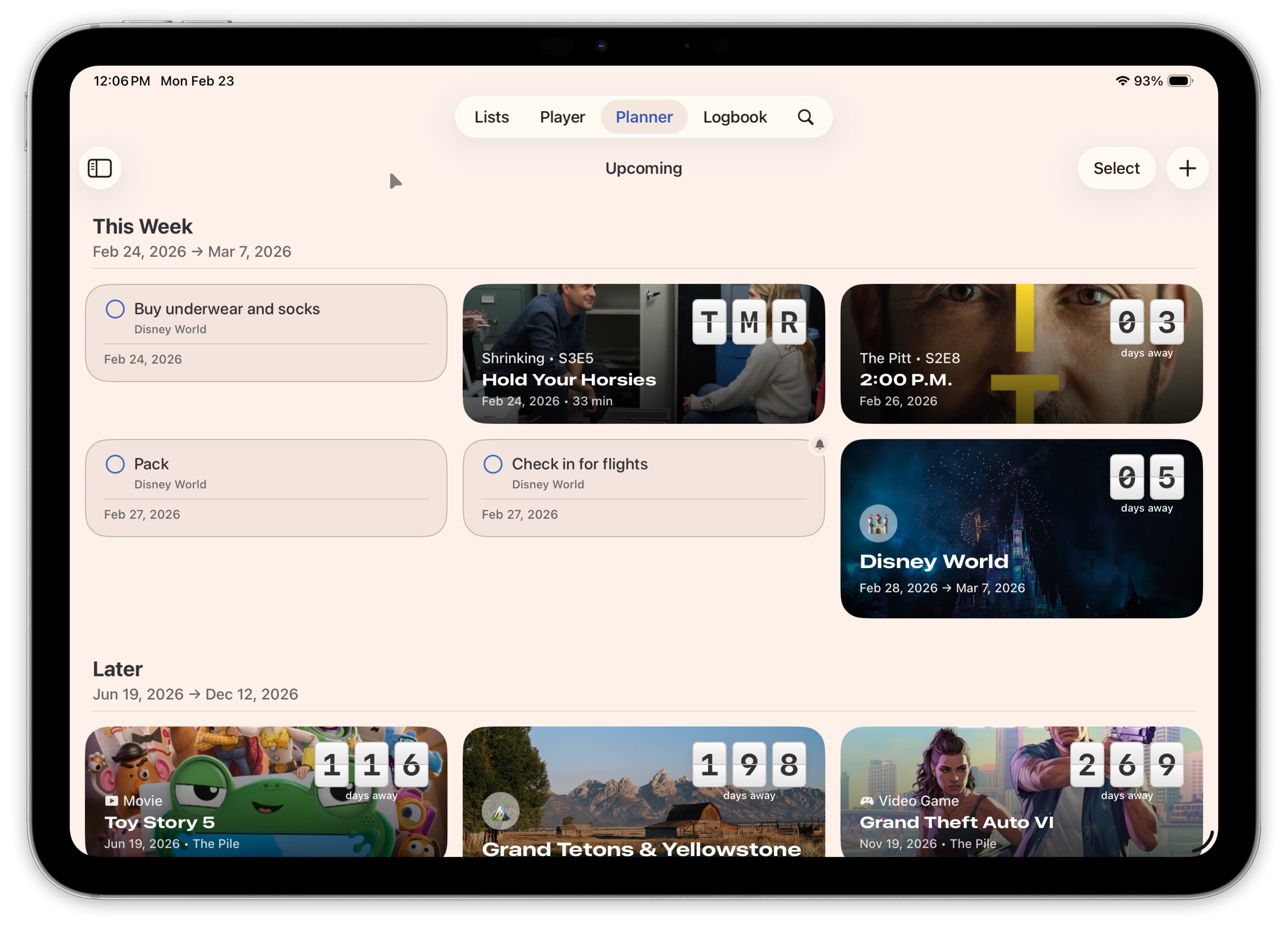
The Planner in Sofa 5 puts all of that in one event. Build a day-by-day itinerary with locations on a map, compare budget scenarios, check live weather forecasts, and attach your confirmations and tickets. A countdown on the cover image shows how many days are left.
It's not just for trips. Create standalone tasks with due dates, priorities, and reminders. Jot down sticky notes for ideas that don't have a date yet. TV shows you're tracking and items with future release dates show up on the timeline automatically, so your episode schedule sits right next to your weekend getaway.
See the Planner →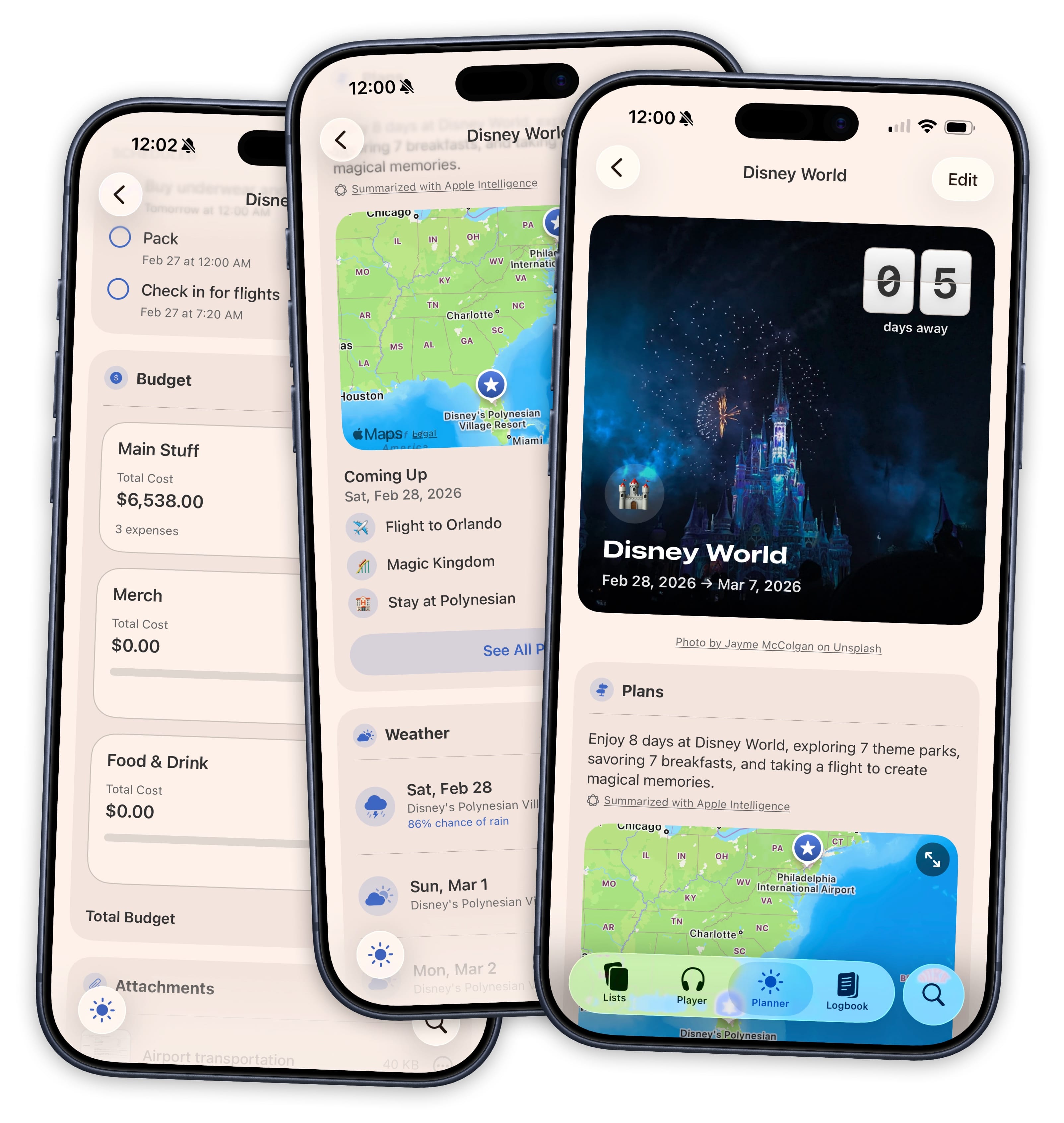
We Built a Whole Podcast Player. It Has CarPlay and Everything.
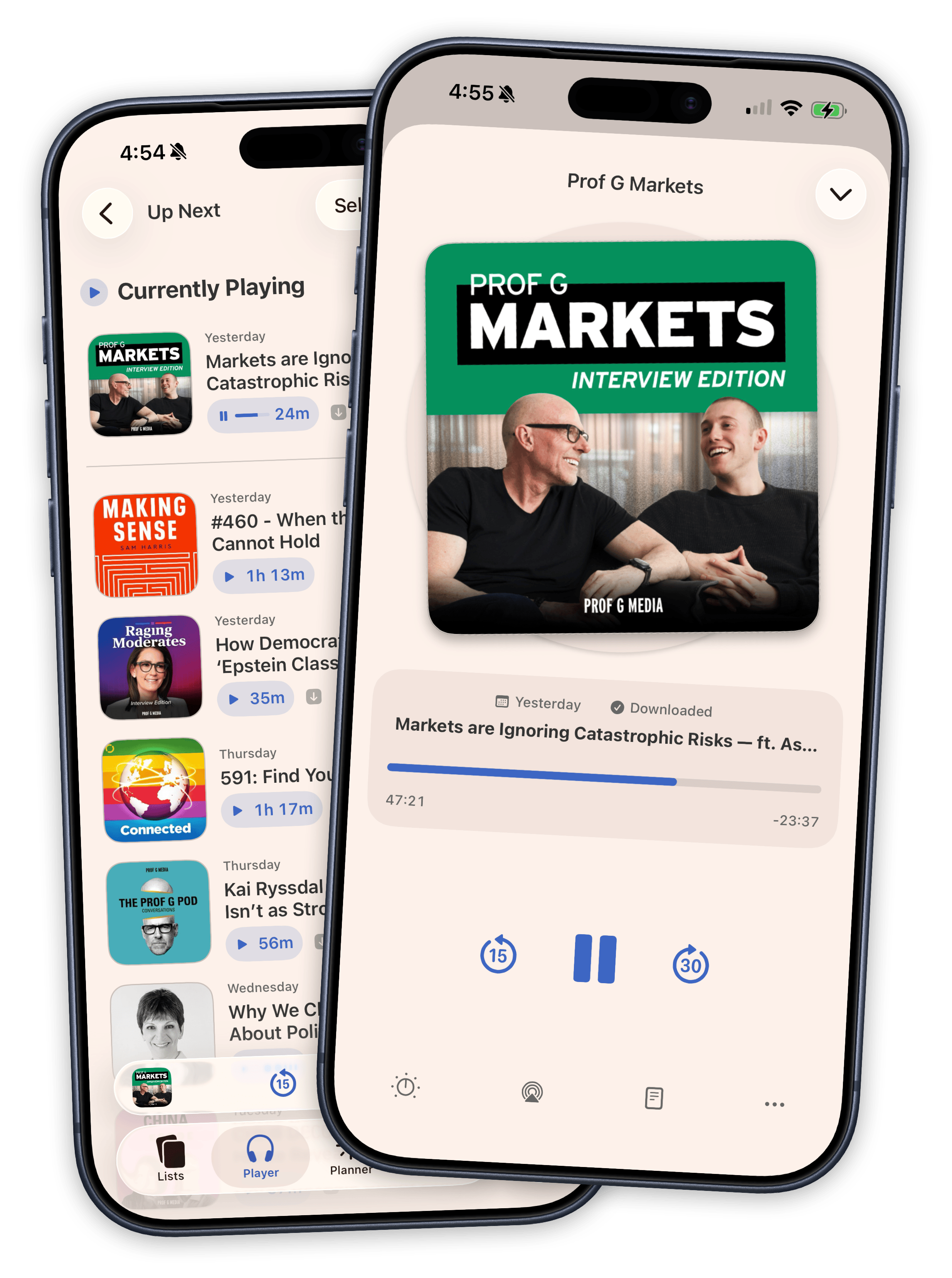
If you track podcasts and listen to podcasts, you probably use two separate apps for that. One to remember what you want to try, another to actually play it. Sofa 5 puts the player right inside your library so you can save a podcast, queue up episodes, and hit play without switching apps.
Drag your Up Next queue into whatever order you want. Download episodes for offline. Turn on Voice Boost when the audio needs cleaning up. Skip ahead with chapter navigation, or take it on the road with CarPlay. A mini player stays with you across every tab so your audio keeps going while you browse.
Everything you listen to flows into your Logbook automatically. Your listening history becomes part of your stats without any extra work.
See the Player →Lists With A Lot More Power. Maybe Too Much Power?
Your list of stuff keeps growing. Some of it you're working through. Some of it you just want to keep around. Sofa 5 gives you the tools to organize all of it.
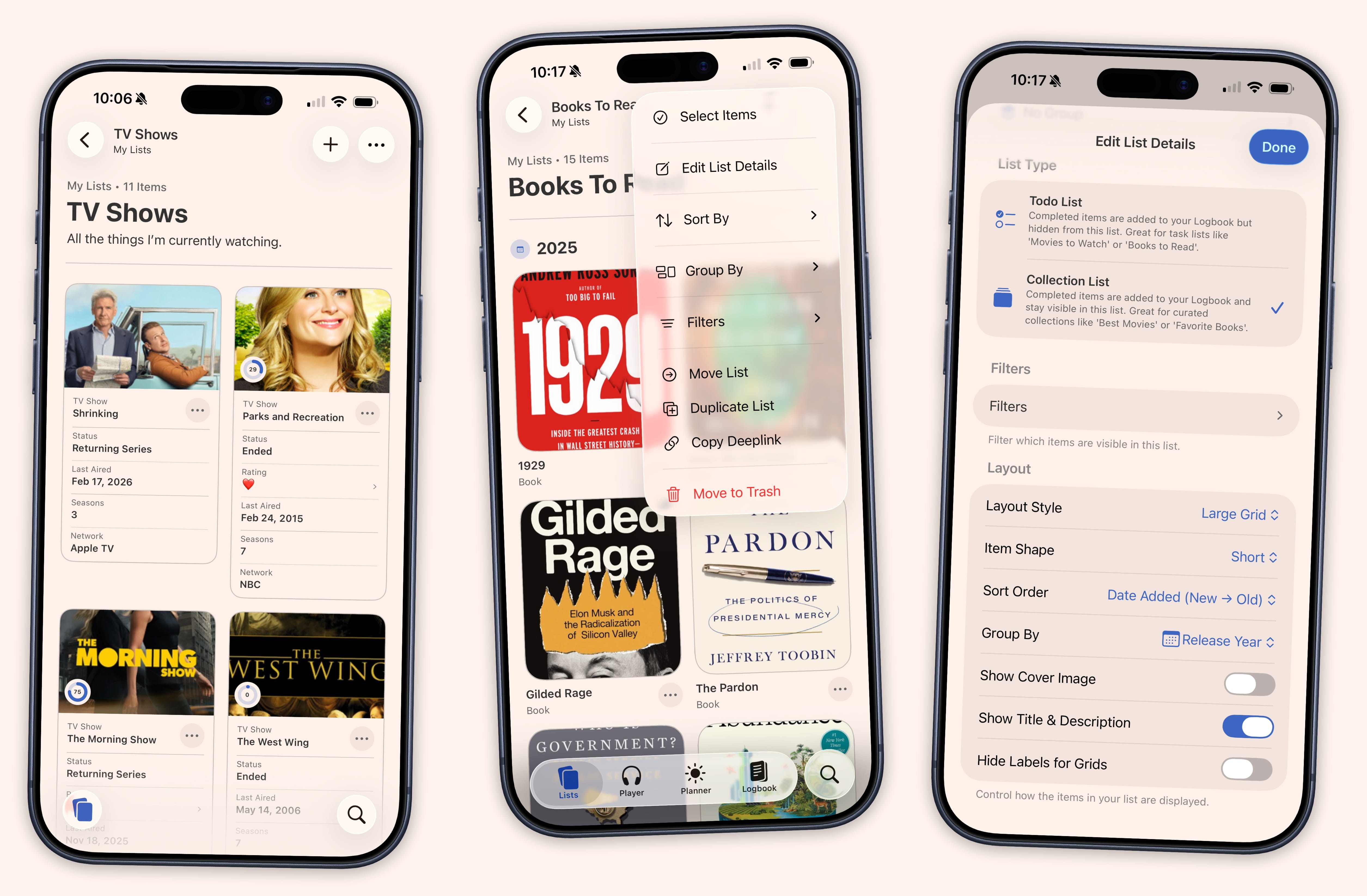
- Todo Lists & Collection Lists
- Todo Lists hide completed items so you can focus on your backlog. Collection Lists keep everything visible, like an all-time favorites shelf or a curated recommendations list you share with friends.
- Four Layouts Including Data Cards
- Data Cards turn a list into a property grid where you can see ratings, genres, runtimes, and custom fields on every card and edit them without opening the detail view.
- Group, Sort & Filter
- Group any list by genre, streaming service, platform, author, release year, or a custom field. Persistent filters let you narrow things down without creating a separate Smart List.
- Multi-Select & Watch Again
- Grab a handful of items and mark them complete, move, copy, pin, or remove them at once. A "Watch Again" action creates a fresh copy with its own date and Logbook entry.
Ridiculously Smart Lists
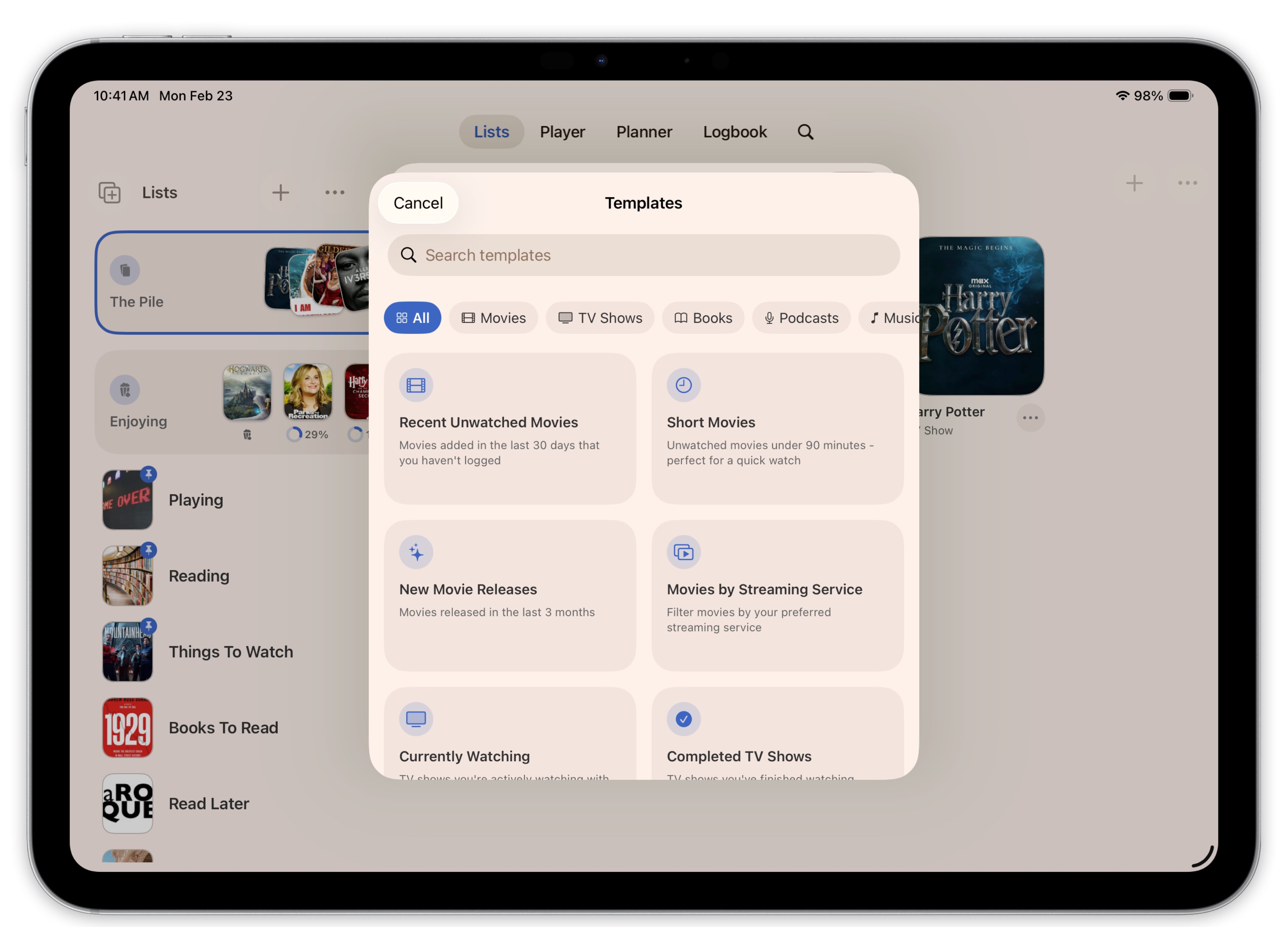
You know what you're in the mood for. You just can't find it. Maybe it's a short TV show you haven't started yet, or a podcast under thirty minutes from a specific publisher you've been meaning to try. Smart Lists in Sofa 5 can find exactly that, with 28 new filters that cover everything from episode count and air date to runtime, platform, and listening progress.
You can also create your own filters. Custom fields called Ingredients let you add a rating system, tags, a "Recommended By" field, or anything else you want to track. Once you've tagged a few items, a Smart List can surface only the ones that match. Pre-built templates get you started with star ratings, thumbs up/down, and status trackers so you don't have to build everything from scratch.
See How It's Organized →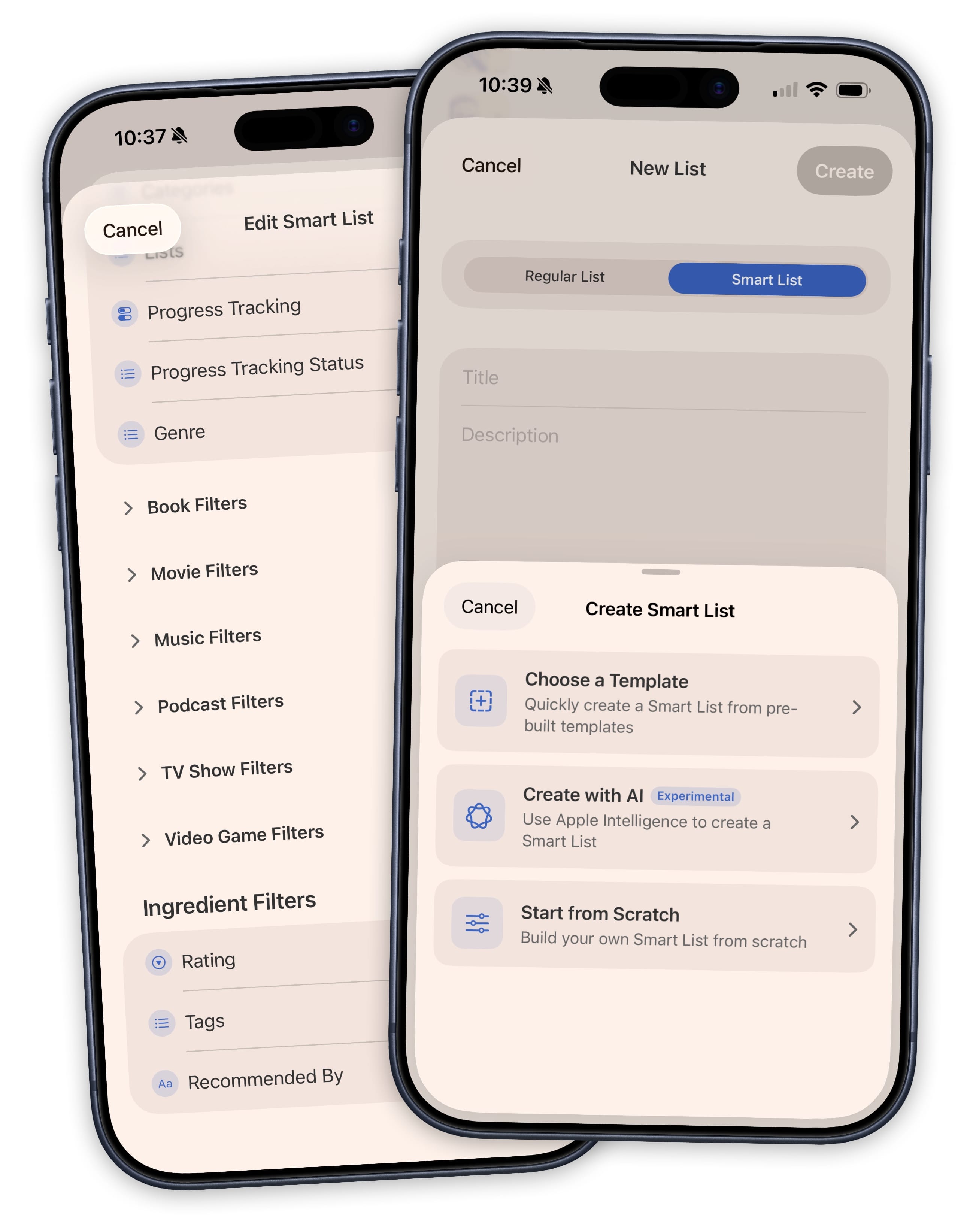
On-Device AI That is Actually Kind of Helpful
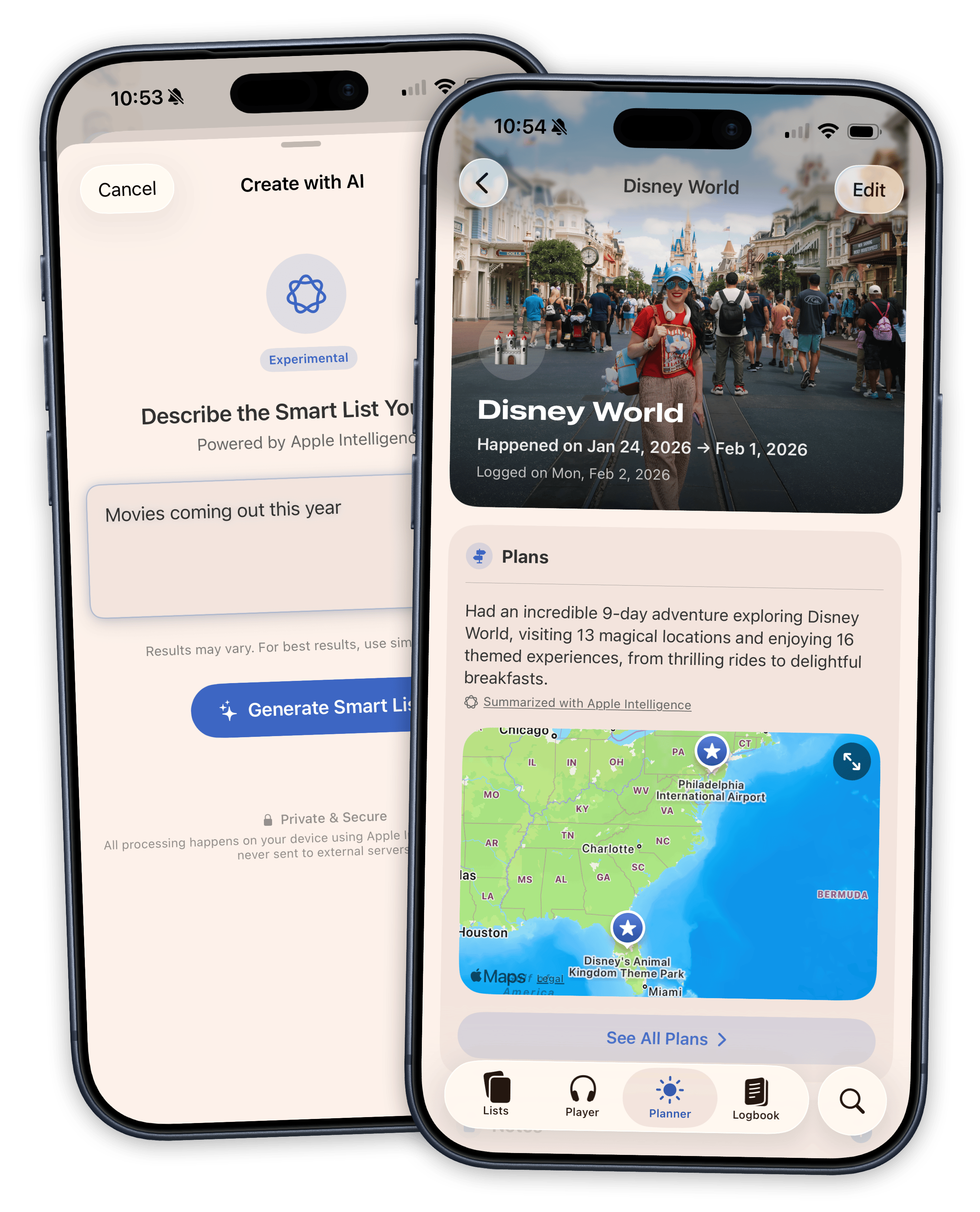
On devices that support Apple Intelligence, you can create Smart Lists by describing what you want. Type something like "action movies on Netflix I haven't watched, rated four stars or higher" and Sofa generates a titled Smart List with the right filters already applied. It handles multi-filter queries and works with your custom Ingredients, not just the built-in filters.
Apple Intelligence also powers automatic summaries in the Planner. When you build out a trip or event with plans, locations, and dates, a summary card appears with a conversational description of your itinerary. It updates as you add or remove plans, adjusts its tense depending on whether the event is upcoming or in the past, and stays under 150 characters so it reads like a quick overview instead of a data dump.
A Logbook That Turns Your History Into Charts, Insights, and Slightly Personal Fun Facts
You finish a show and it just sort of disappears. You read a book last summer but can't remember when exactly, or what you thought of it at the time. The Logbook in Sofa 5 catches everything. Mark something as complete and it lands in your history with its date, notes, and metadata intact. Your Logbook item and your list item are the same thing, so edits stay in sync everywhere.
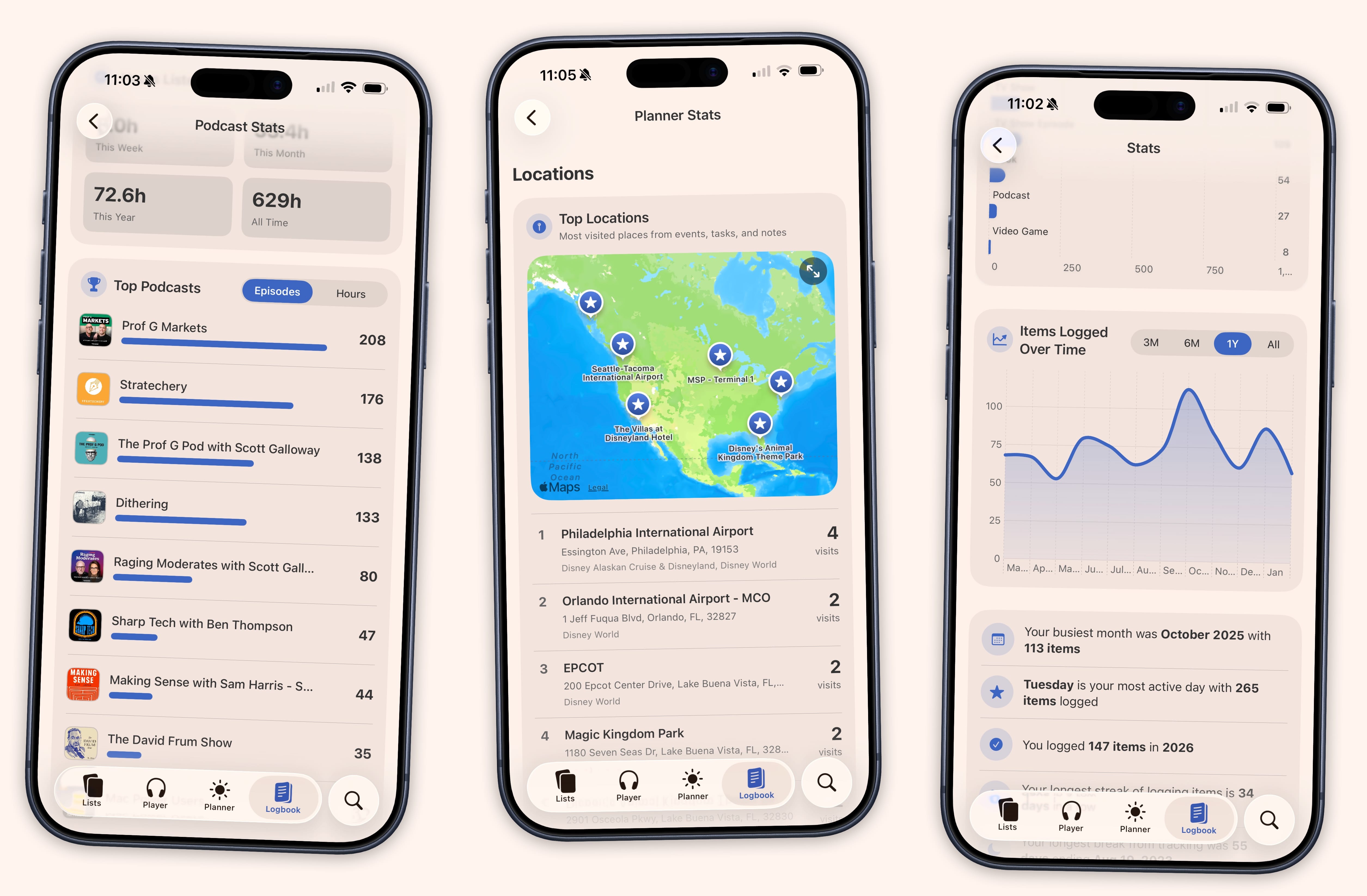
A Stats dashboard turns that history into something you can actually see. An activity timeline shows your last twelve months at a glance. Each content type gets its own detail page with charts, top rankings, and genre breakdowns. TV shows reveal your peak binge day. Podcasts show your preferred listening time. Movies break down by genre and decade.
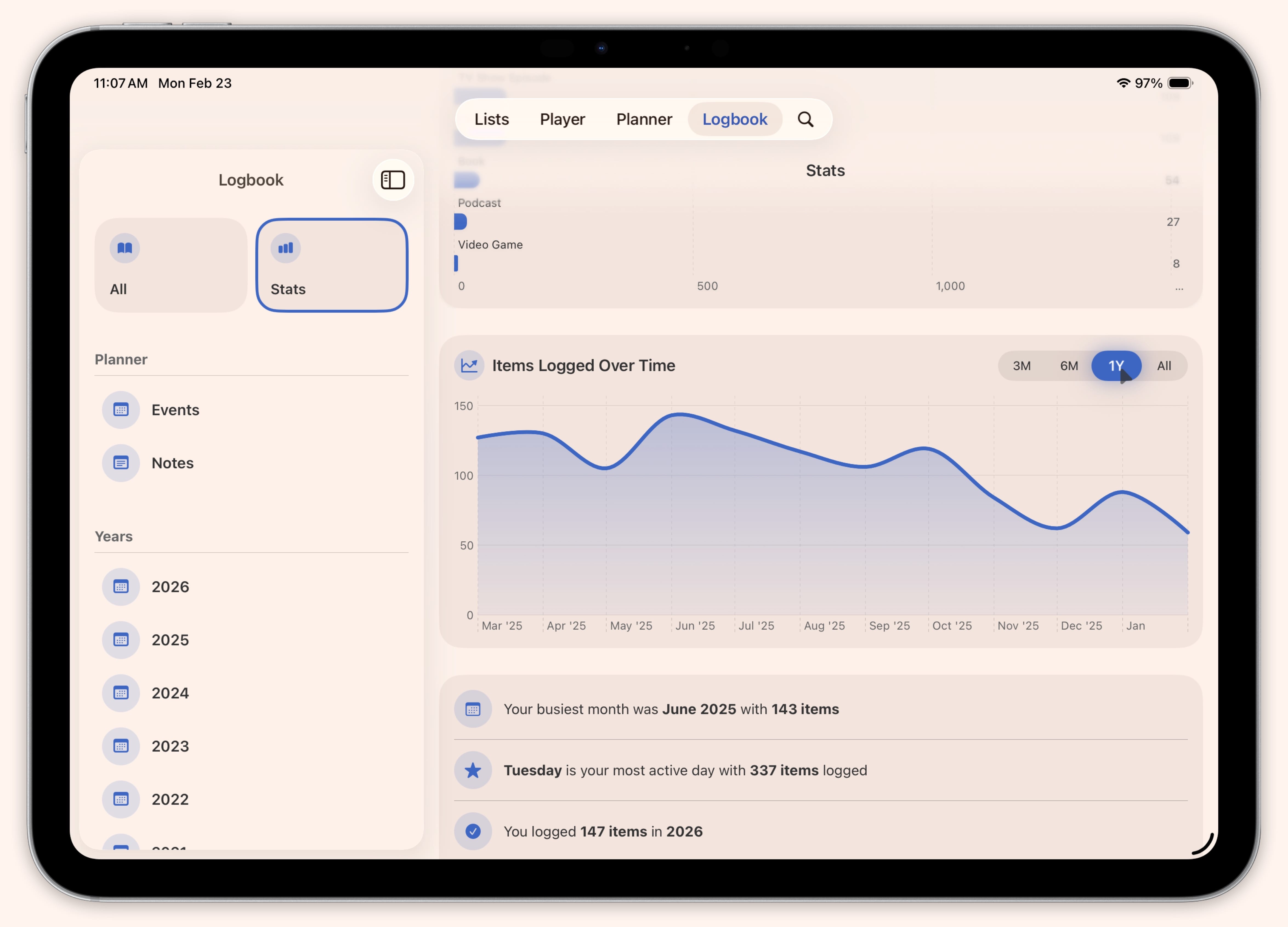
Stats also surface patterns you wouldn't notice on your own. Year-over-year comparisons, milestone markers like logging your hundredth podcast episode, and an interactive map that clusters your Planner events and tasks by location.
See the Logbook →Plus Widgets, Unified Search, 40 Shortcuts Actions, and a Few More Things We Couldn't Stop Adding
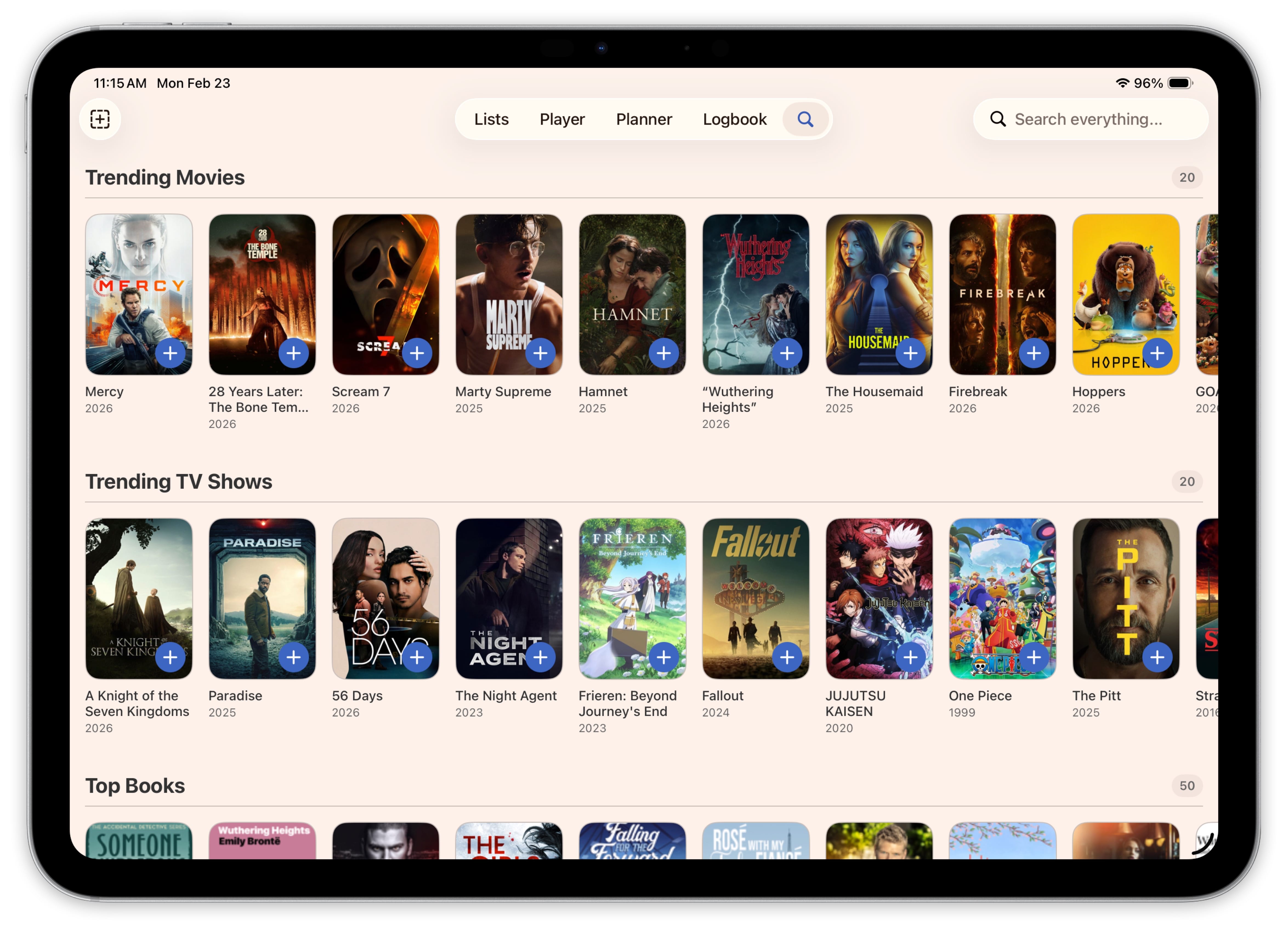
A single Search tab now covers your library and new content in one place, with trending results when you open it and smart type detection as you type. Widgets put progress rings and cover art on your home screen and lock screen so you can tap straight into whatever you're watching or reading. Over 40 Shortcuts actions let you automate your library however you want, including things like "mark next episode of Breaking Bad as watched" through Siri.
The tab bar is customizable too. If you don't use the Player or the Planner, hide them and the app shrinks to fit. Manually-added items now get the same detail fields as items from search, so everything in your library has full parity no matter how it got there.