Tonight's Episode. Next Month's Trip. One Planner.
A planner that handles your TV schedule, standalone tasks, sticky notes, and full trip itineraries with budgets, maps, and weather.
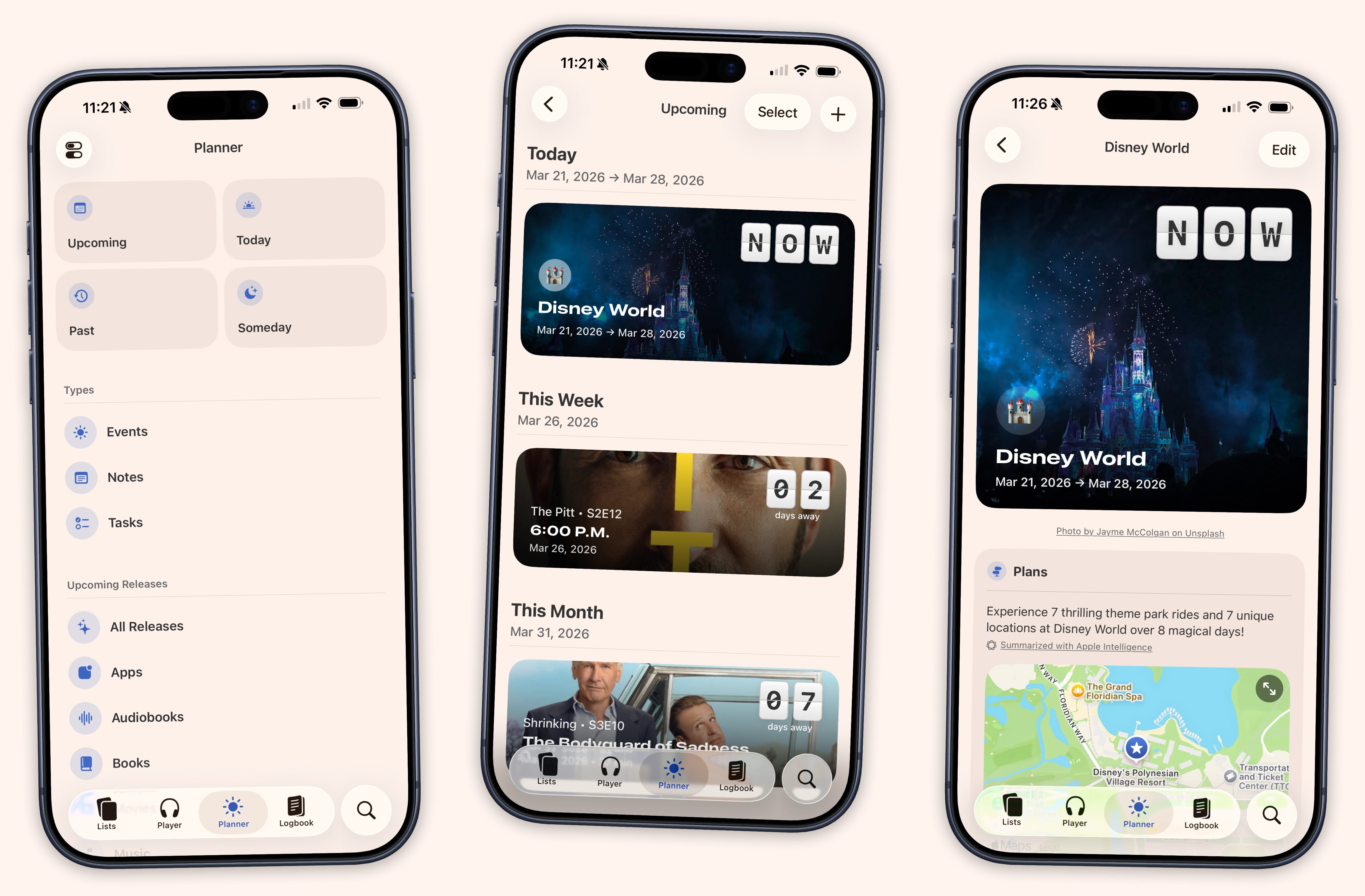
Open the Planner and see everything that matters right now. An episode airing tonight. A task due tomorrow. A trip in three weeks with a countdown ticking. It is all on one timeline, sorted chronologically, no switching between apps.
Four views keep things organized. Today shows what is happening right now. Upcoming shows what is ahead. Past shows what you have done. Someday collects the things without dates for when you are ready to commit.
Filter by type at any time: events, tasks, notes, TV episodes, or any specific media category. See just what you need, hide the rest.
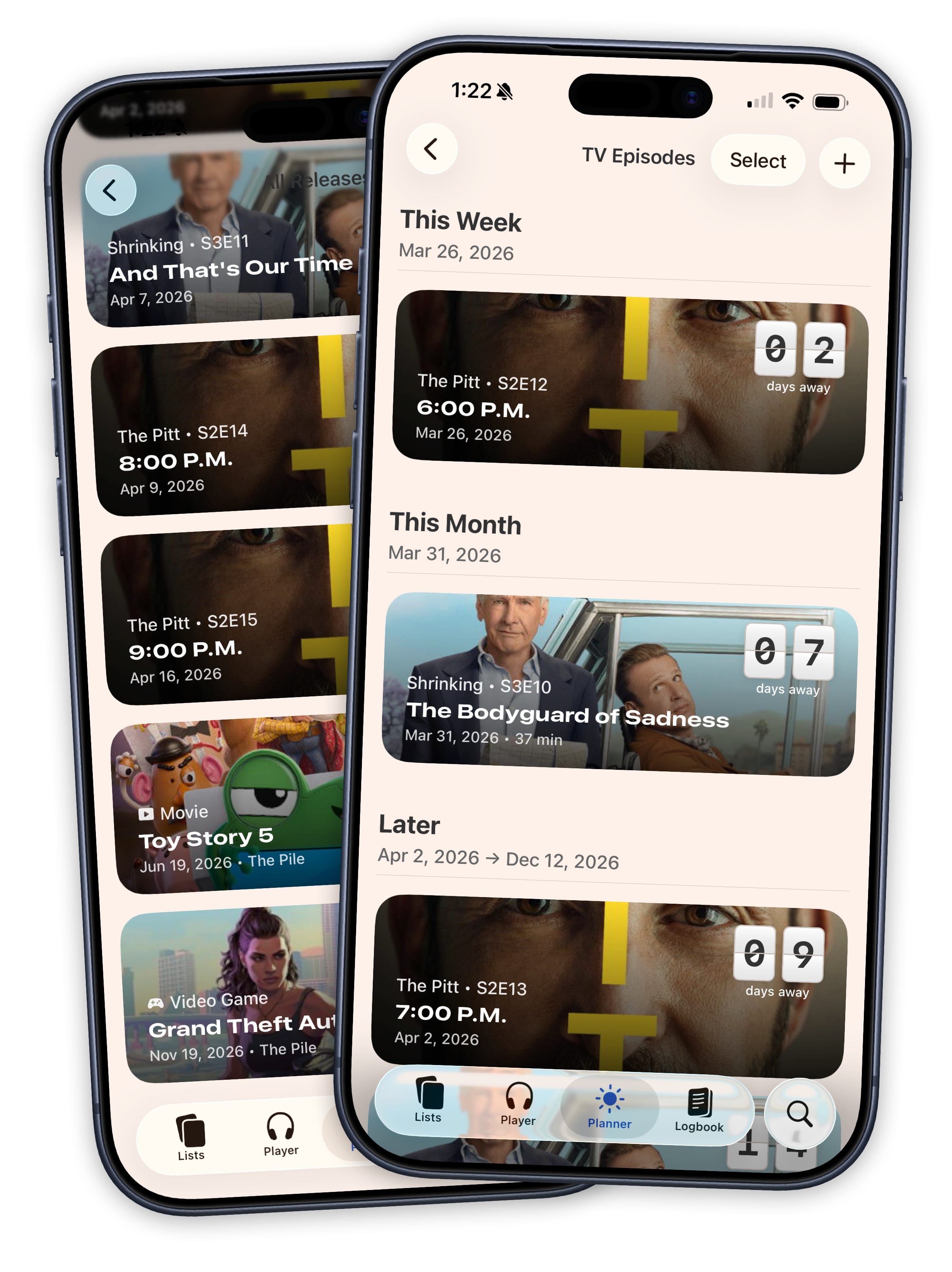
The Season Finale Is Wednesday.
TV shows you are tracking appear on the timeline automatically. Each episode shows an image, a countdown, the show name, and the air date. Tap it to jump to the progress tracker. Mark it as watched and it disappears from the Planner.
Movies, books, games, and albums work the same way. Add something to a list with a future release date and it shows up with cover art and a countdown. When release day arrives, it moves from Upcoming to Today.
You do not have to set anything up. If you are tracking it in Sofa, the Planner already knows about it.
Pack Underwear. Cancel the Trial. Return the Book.
Create standalone tasks with due dates, locations, and reminders. Pin important tasks so they stay visible at the top. They live on the timeline alongside everything else.
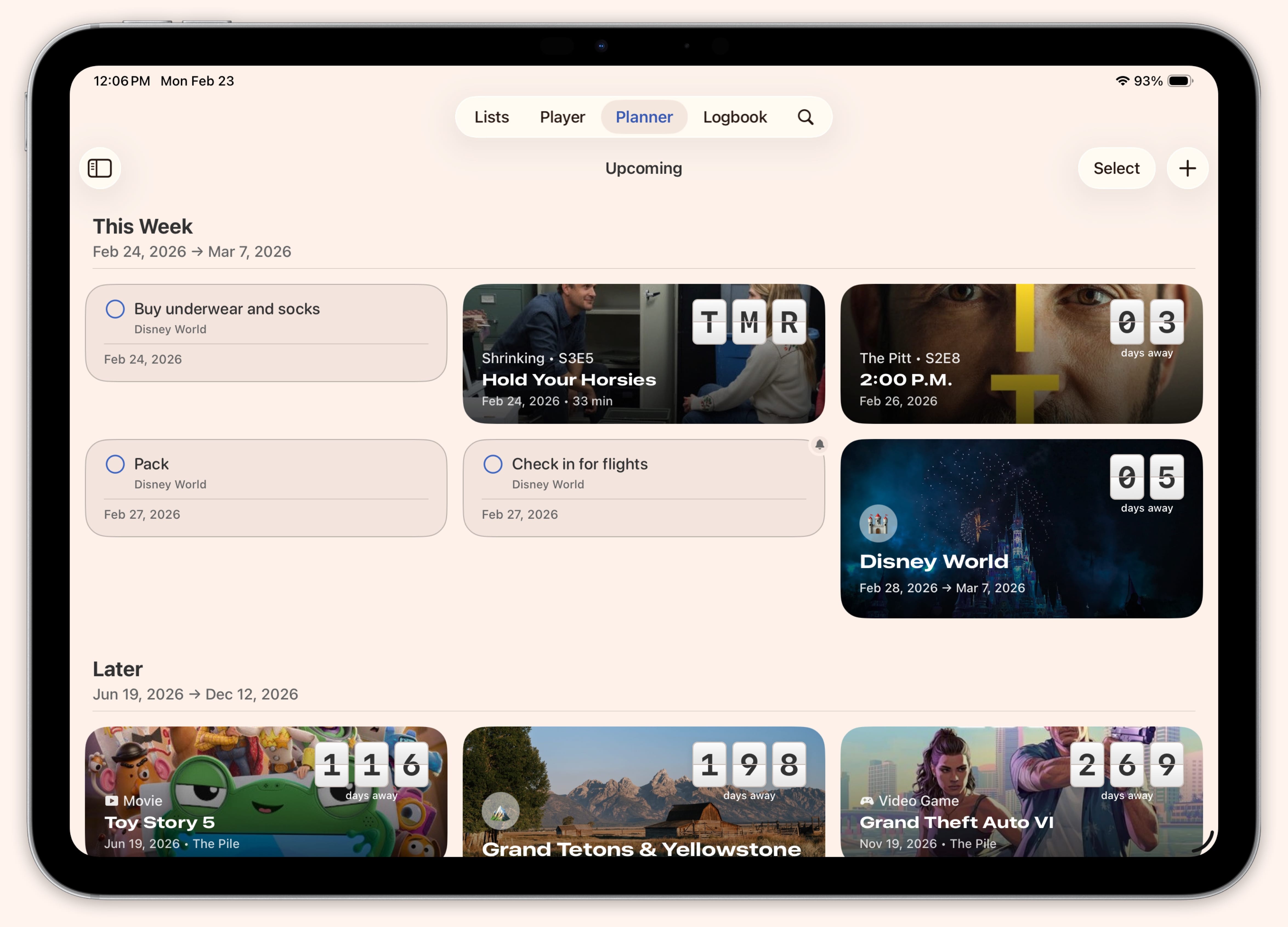
Events get their own task lists too. “Book photographer.” “Confirm seating chart.” “Pack rain jacket.” Check them off as you go and see what is left at a glance.
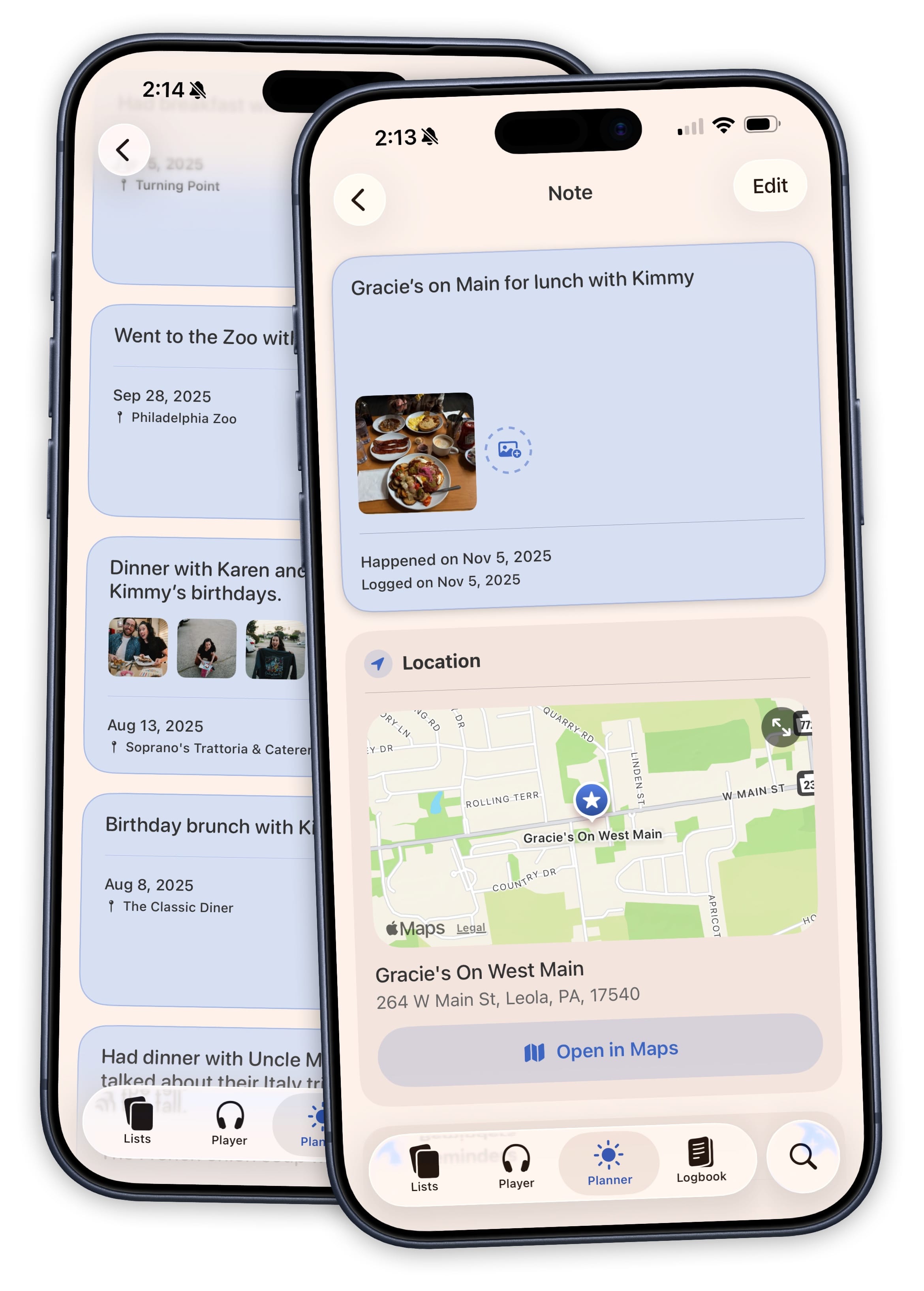
Sometimes a Note is All You Need
Sticky notes capture things that don't fit into a task or an event. A restaurant recommendation. A gift idea. A packing reminder. Notes without a date live in the Someday view, ready for when you want to act on them.
Add a date and they appear on the timeline alongside everything else. Attach a photo, a link, or a file to any note.
Your Travel Planning Hub
Stop juggling notes apps and spreadsheets. Sofa brings your itinerary, budget, map, and weather forecast into one place with tools built for how you actually plan a trip.
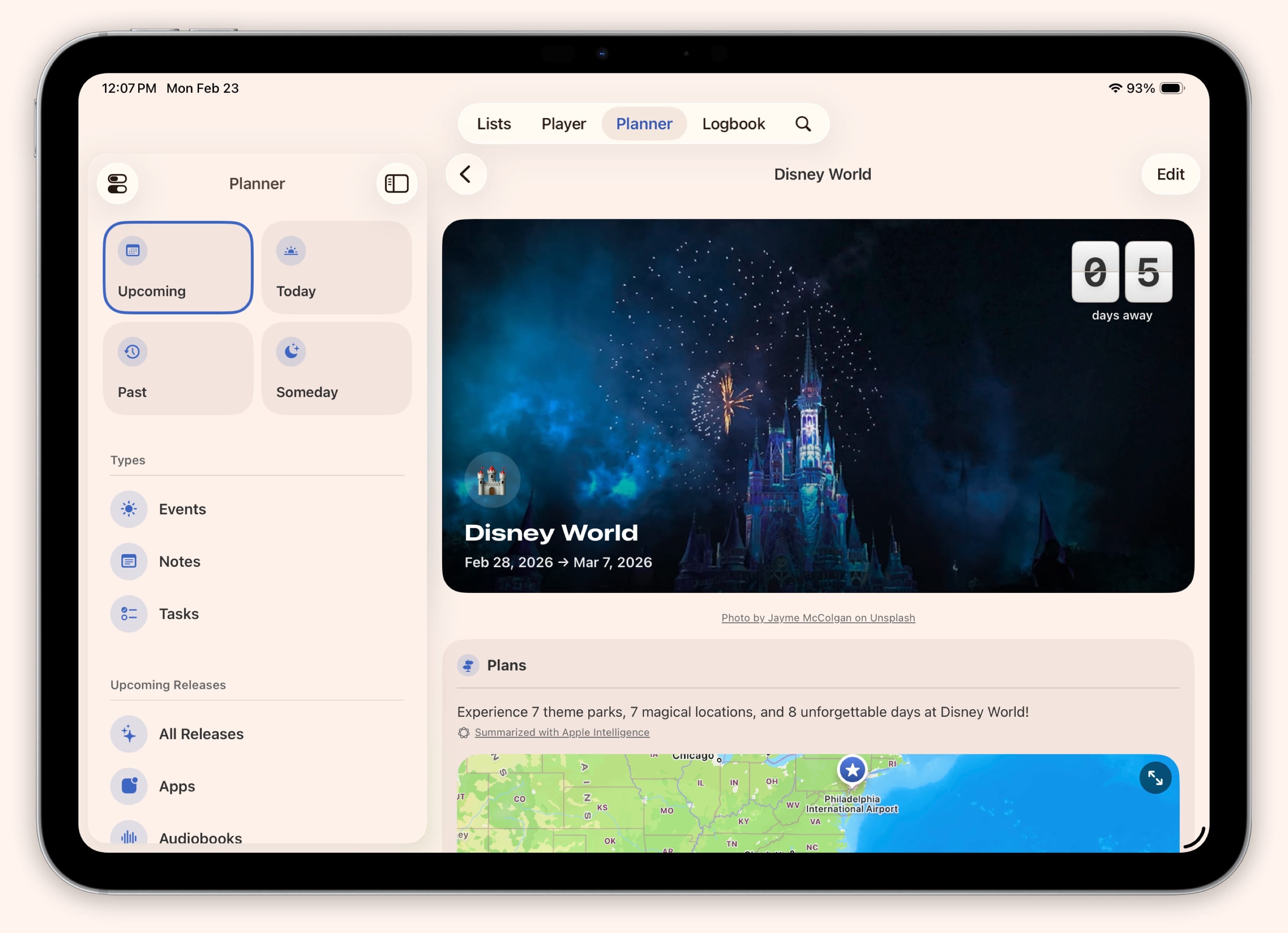
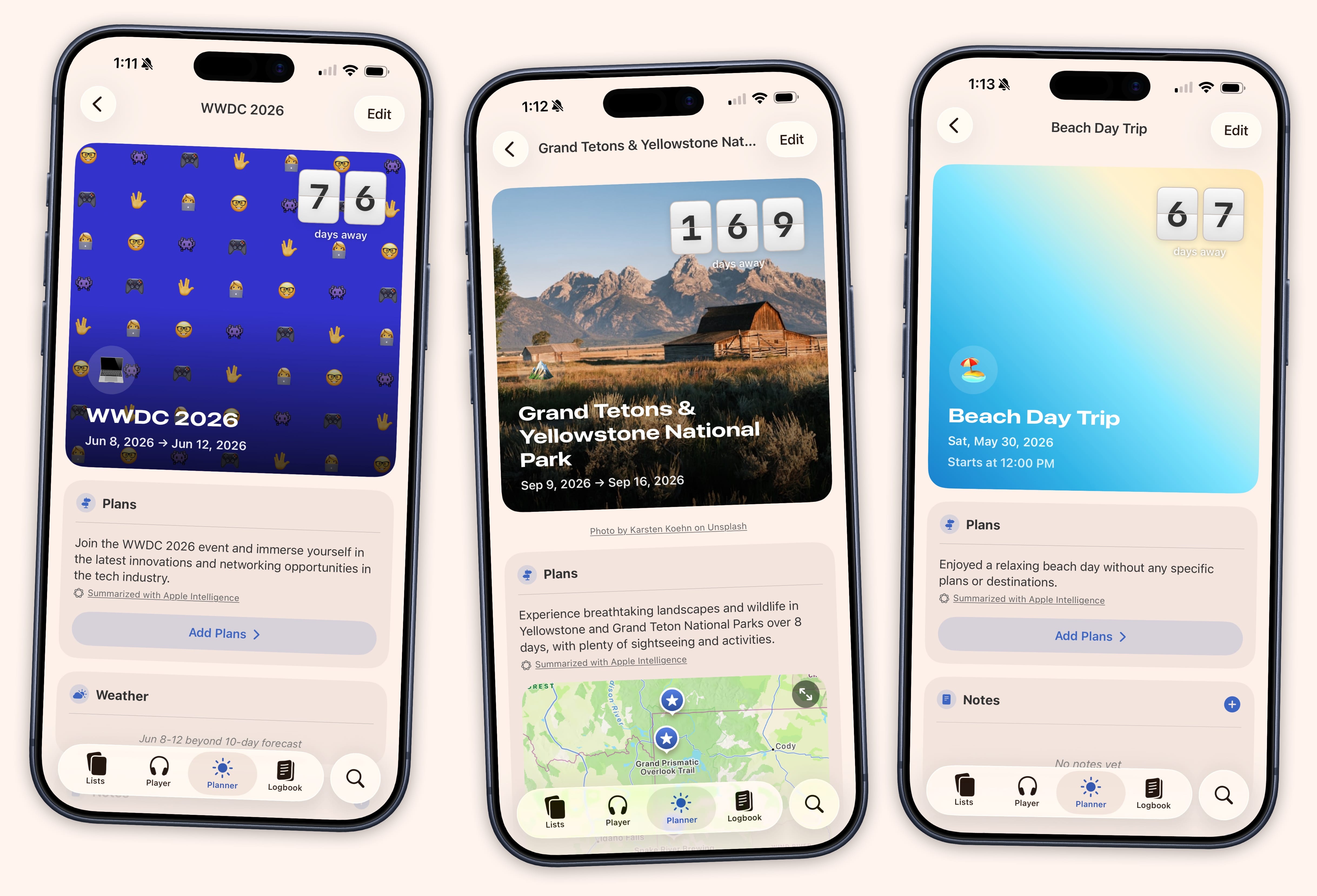
Only 10 Days to Go!
Create an event with a cover image and a countdown starts ticking. Customize it to match the mood of the trip, the concert, or the wedding. The countdown is right there every time you open the Planner. When the day arrives, it moves from Upcoming to Today.
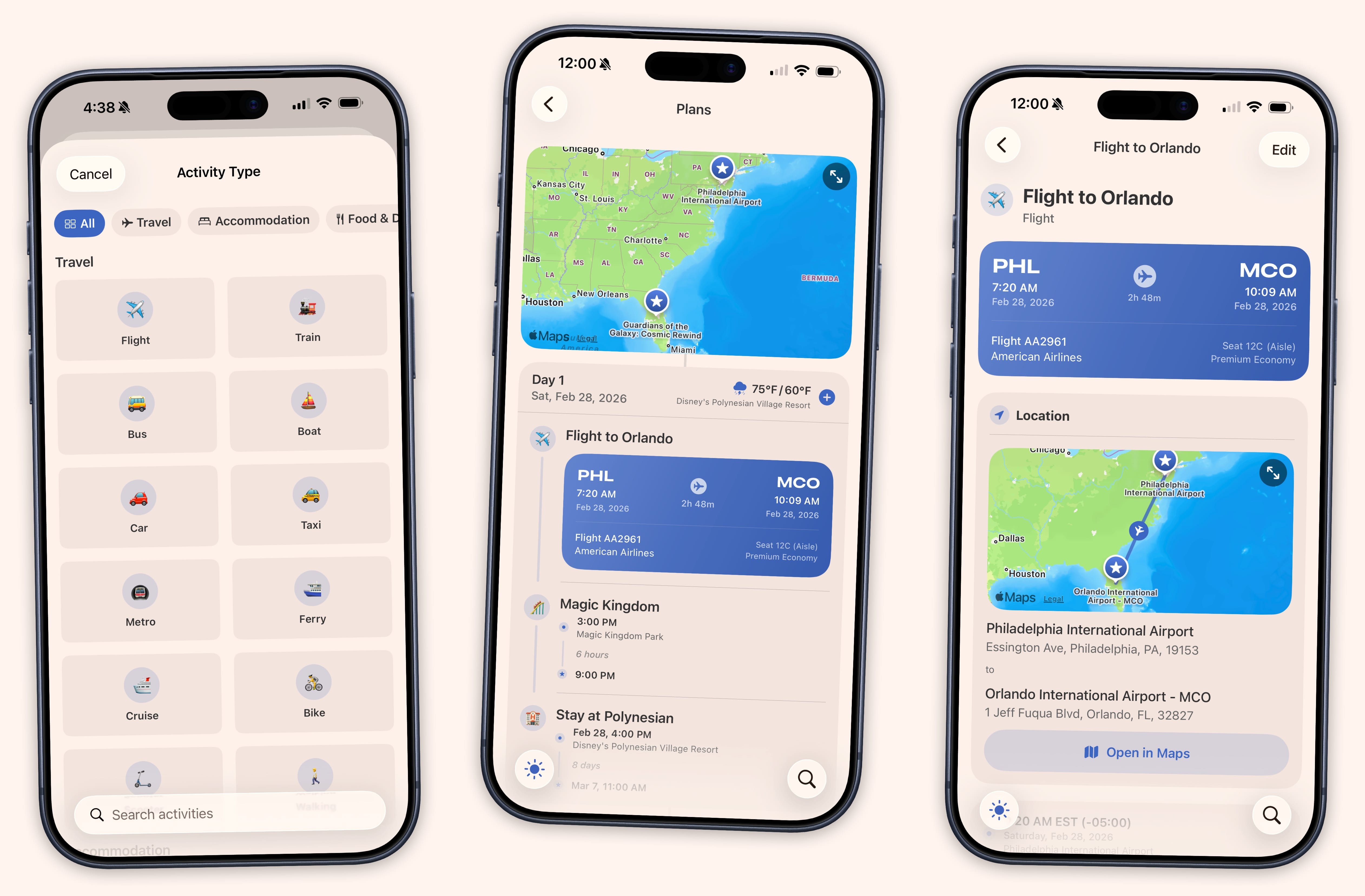
Day by Day. Place by Place.
Build a day-by-day itinerary with times, locations, and details for every stop. Each item has a title, time range, type, and room for confirmation numbers, contact info, and cost. Flights get their own fields for airline, flight number, and gates. Everything stays organized by day so you always know what is next.
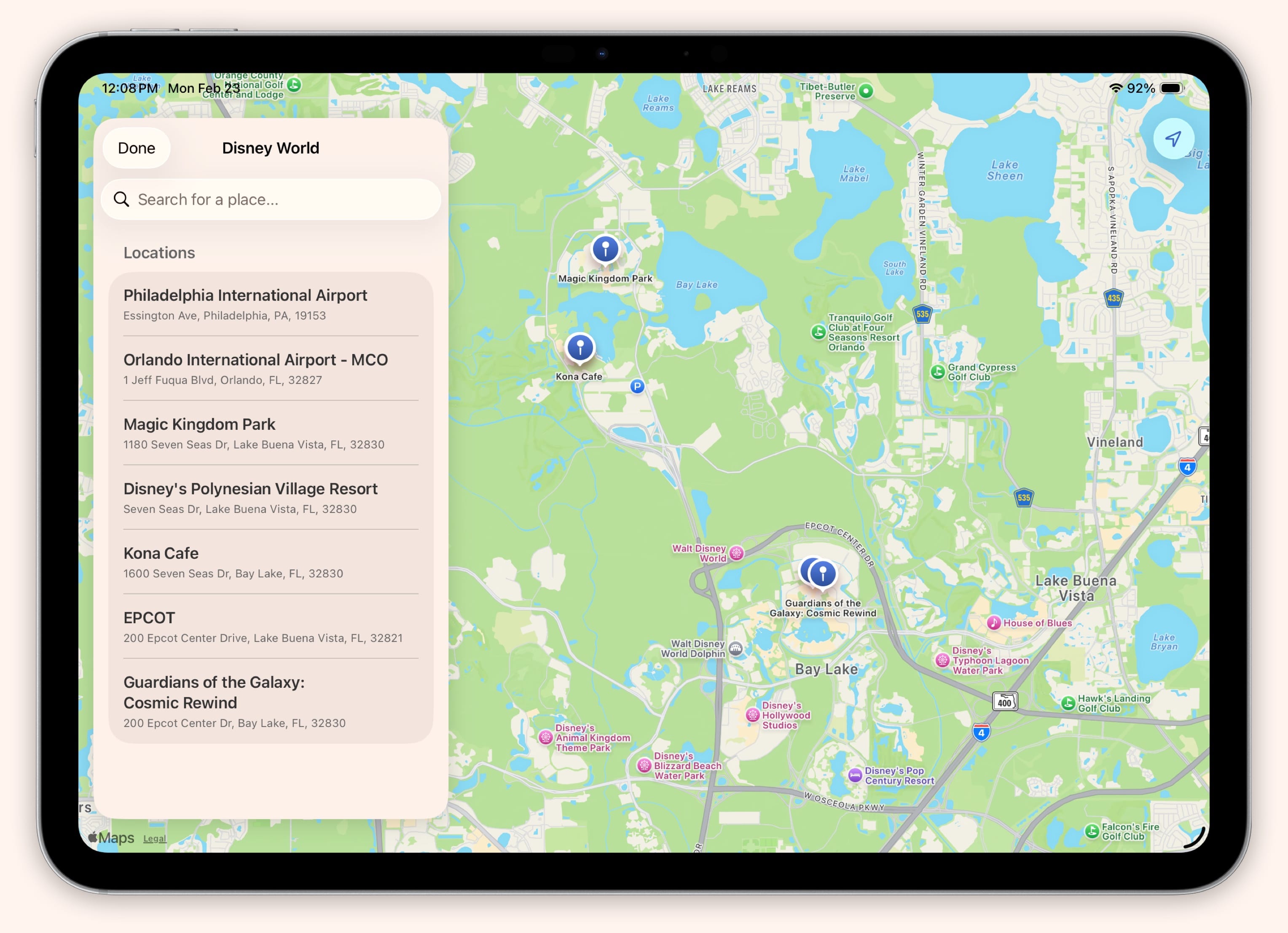
See the Whole Trip on a Map
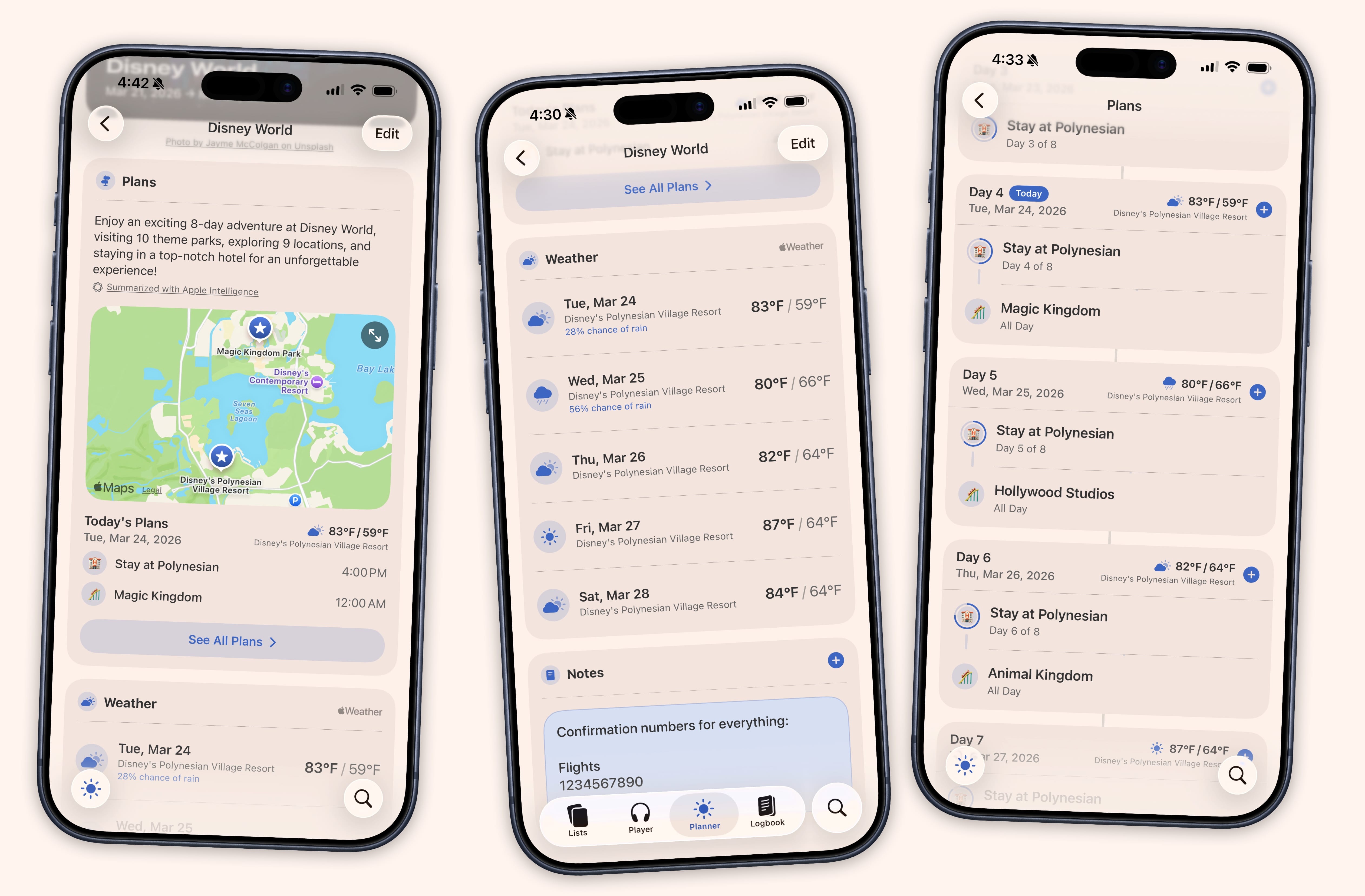
Every location in your itinerary appears as a pin on a full interactive map. Tap a pin to see what you have planned there with times and details. Browse the map to discover and add new places. Search for nearby spots, drop a pin, and add it straight to your itinerary without leaving the map view.
Budget Before, During, and After.
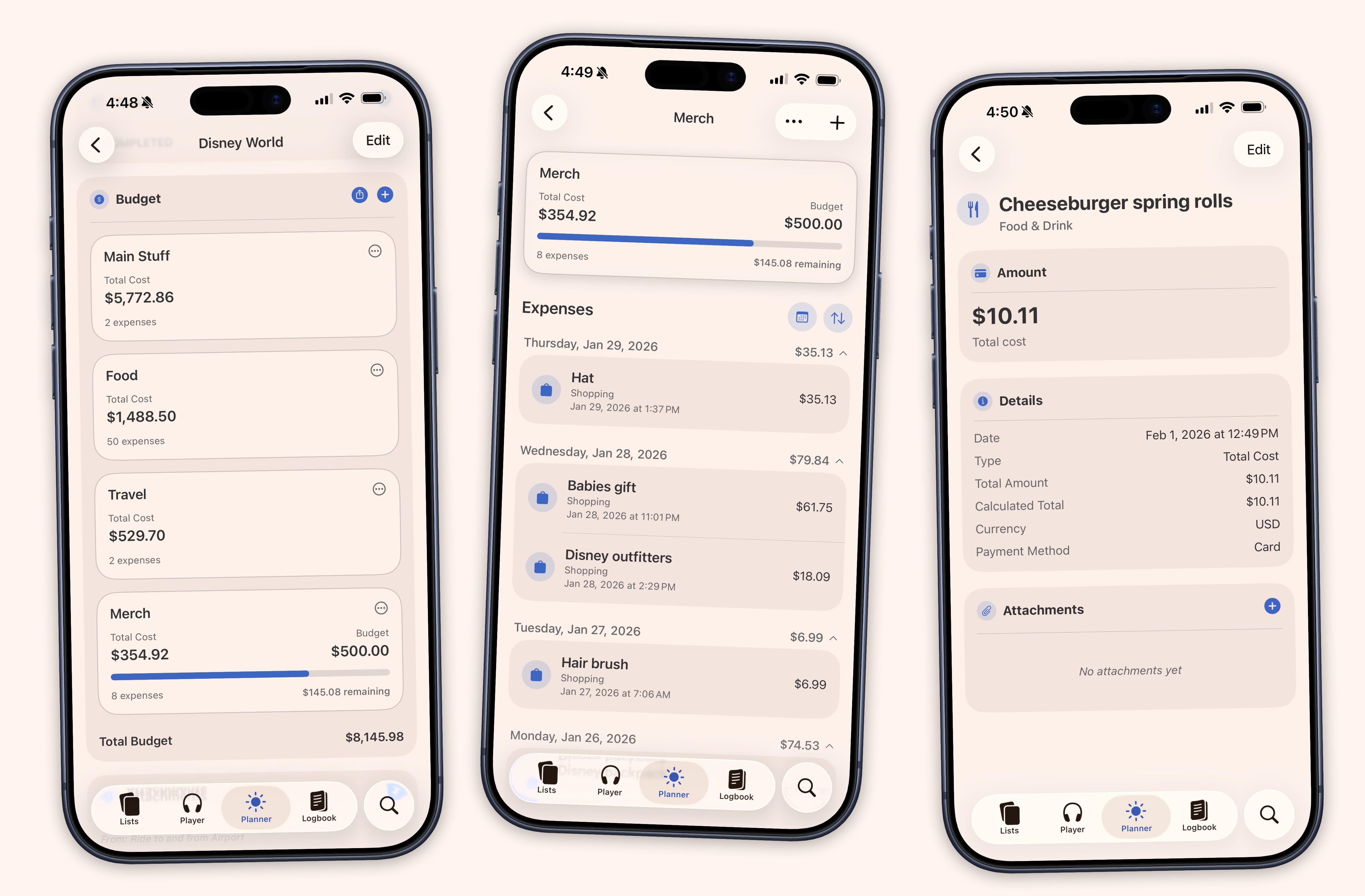
Set up budget scenarios before you leave so everyone knows what to expect. Compare a “Frugal” version against a “Comfort” version, side by side. Track expenses by category like lodging, food, transport, and entertainment with per-day and per-person splits as you go. When the trip wraps up, review your spending patterns to see where the money actually went. Export everything to CSV for deeper analysis or to keep for your records.
See if You Need to Pack a Rain Jacket
Weather forecasts appear alongside your itinerary dates, and temperatures update automatically so your plans stay informed as the trip gets closer.
And So Much More.
- Tasks
- Per-event checklists with priorities and due dates. Book the photographer. Confirm the seating chart. Check them off as you go.
- Reminders & Notifications
- Get notified when tasks are due, events are coming up, or new episodes air.
- Location-Based Notes
- Attach locations to sticky notes and tasks so you remember what to do when you get there.
- Attachments
- Attach photos, files, boarding passes, and receipts to any event, task, or note.
- iCloud Sync
- Your library stays in sync across iPhone, iPad, Mac, and Apple Vision Pro.
- Widgets
- Event countdowns, upcoming releases, and planner items right on your Home Screen and Lock Screen.
- Shortcuts & Siri
- Create events, add tasks, and jot notes from Shortcuts or Siri. Every item gets a deep link for automations.
- Apple Intelligence
- On-device AI generates a summary card for every event, updating automatically as your plans change.