We Built a Whole Podcast Player. It Has CarPlay and Everything.
A full podcast player built right into your library with queuing, offline downloads, CarPlay, and per-show playback settings.
Your Movies, Books, and Now Podcasts. All in One App.
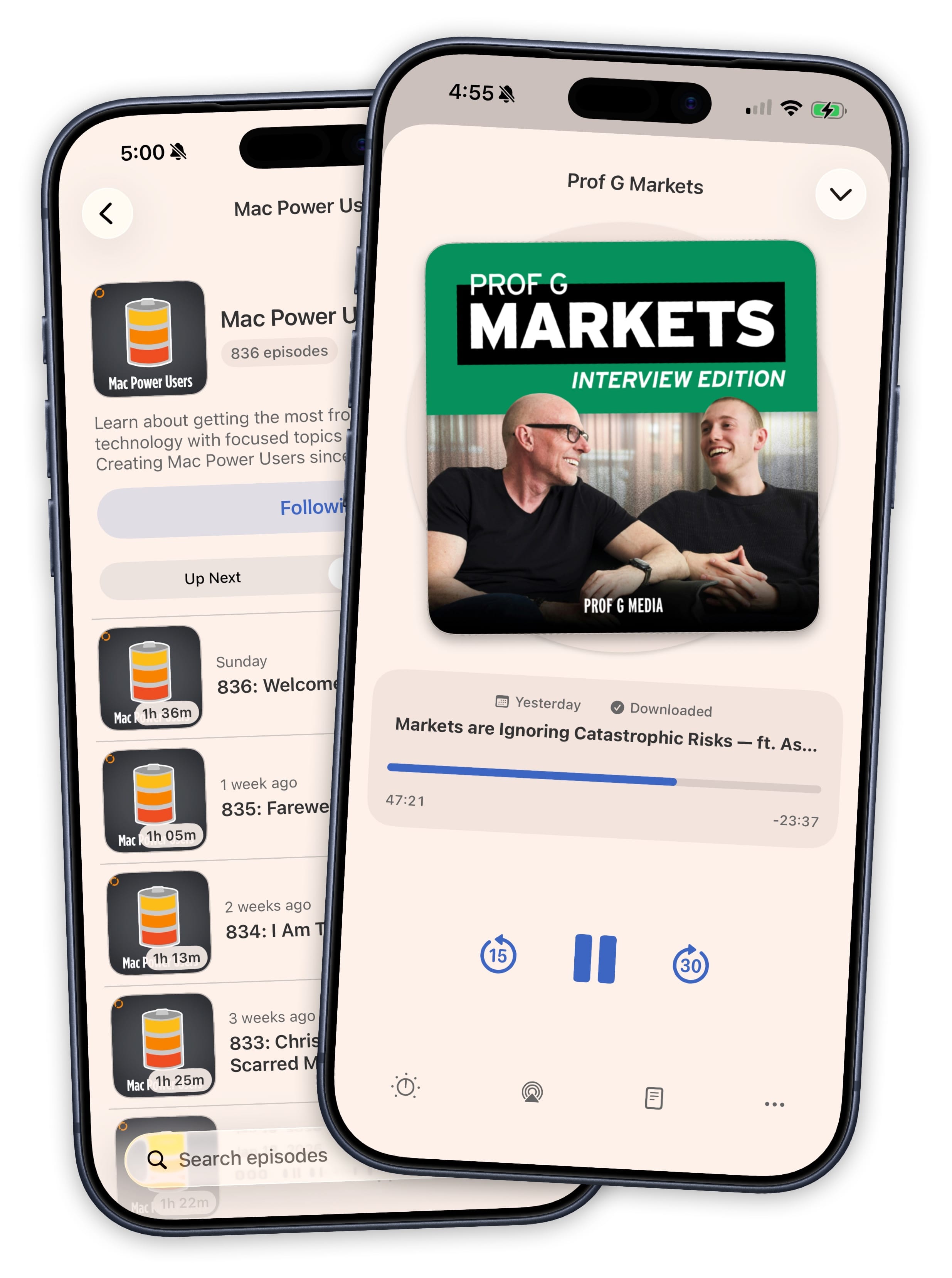
Sofa already keeps track of the movies you want to watch, the books you want to read, the games you want to play, and the trips you want to take. Now it plays your podcasts too. Save a show, queue up episodes, and hit play without ever leaving the app. One less app on your phone.
Following a podcast is a single tap. Search for a show, hit Follow, and its episodes appear right alongside everything else in your library. You don't have to pick a playlist or organize anything upfront. If you want to get more organized later, add podcasts to playlists at any time.
A Nice Way to Listen to Your Favorite Shows
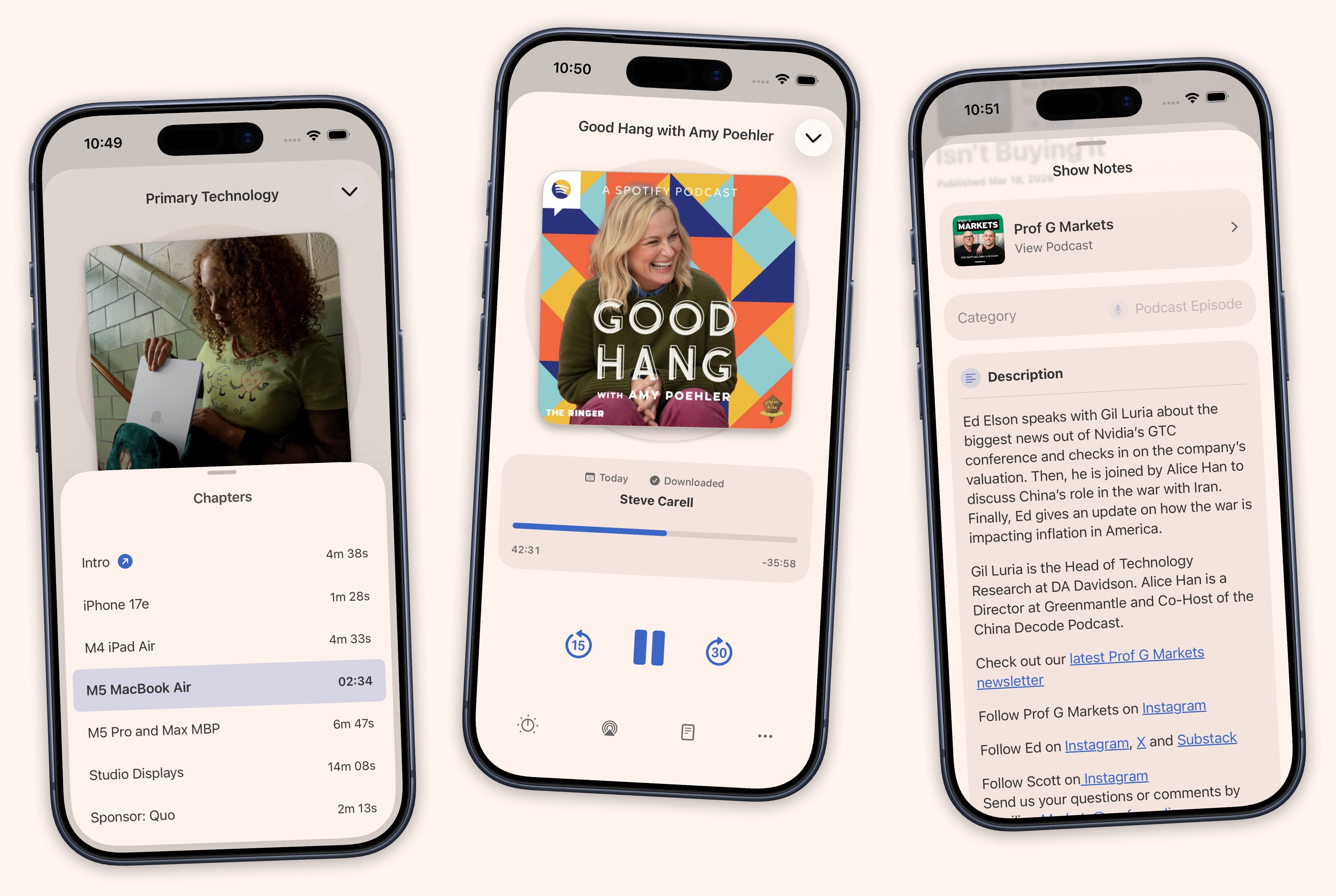
Voice Boost, chapters, per-show playback speeds, and sleep timers. Sofa has all the small things that make a long listen feel effortless.
- Voice Boost
- Clearer voices without the over-processed sound. Tuned for podcasts, not music.
- Chapter Navigation
- Skip ahead by chapter. Chapter artwork updates the player as you listen.
- Per-Show Settings
- Auto-downloading of episodes, Logbook workflow, and and episode limits for each podcast.
- Playback Speed
- Speed up or slow down playback with speed settings.
- Sleep Timer
- Set a timer and Sofa fades out your audio when it is time to sleep.
- Show Notes & Links
- Access show notes, links, and resources mentioned in each episode.
Your Queue, Your Order.
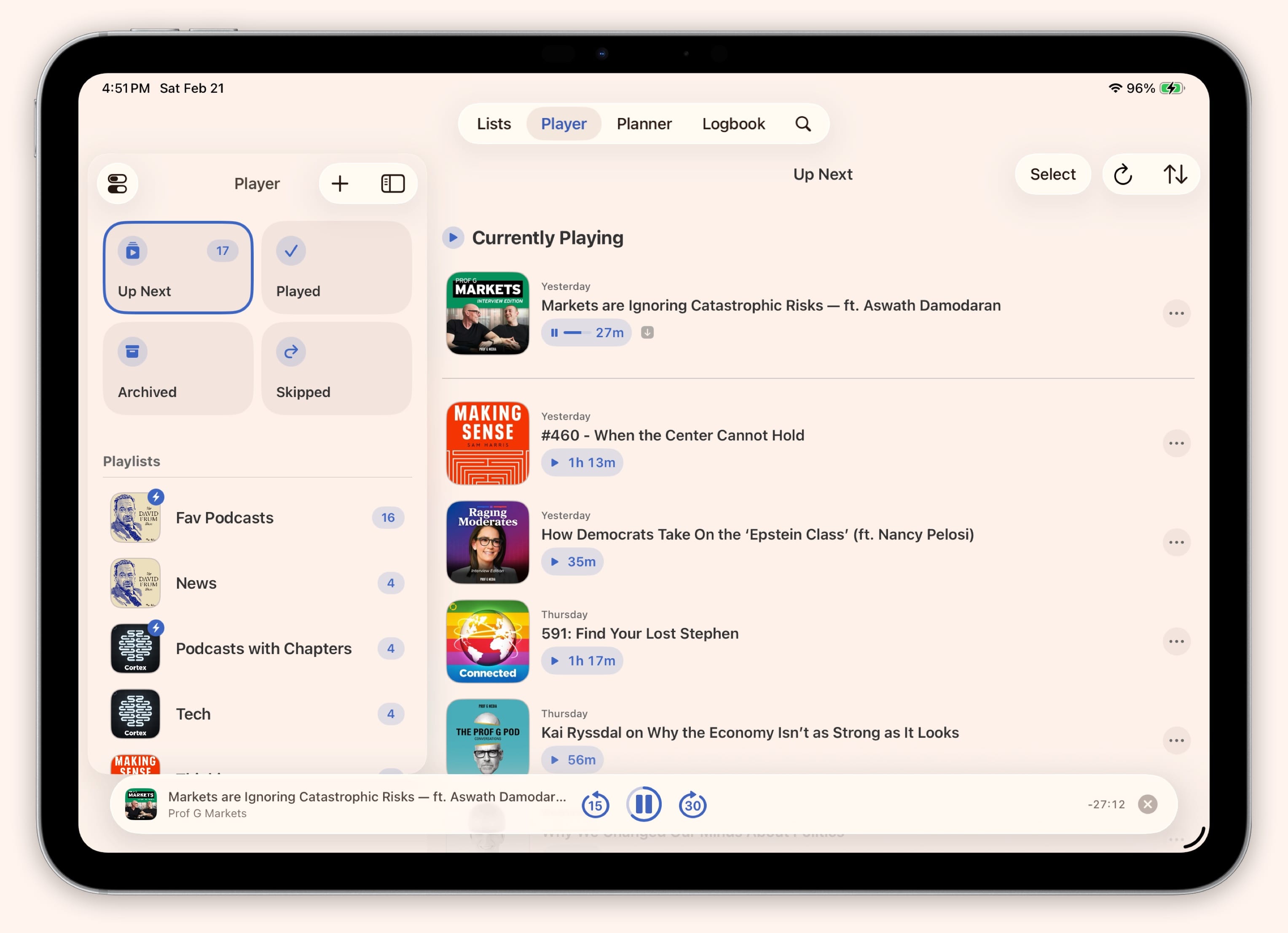
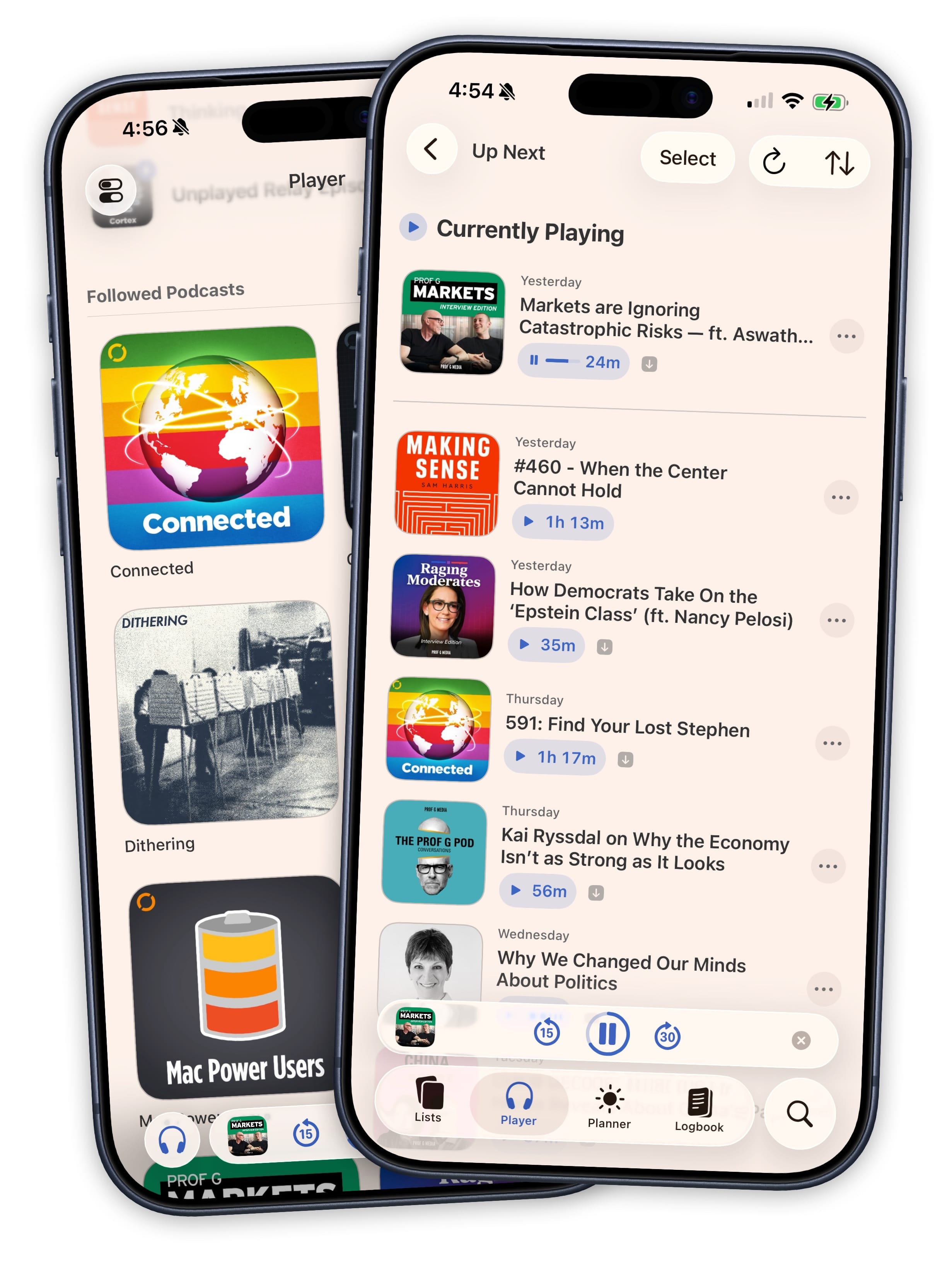
Drag your Up Next queue into whatever order you want. The currently playing episode sits at the top with a live progress indicator. Below it, your upcoming episodes show artwork, duration, and download status. Long-press for quick actions, or enter multi-select mode to download, archive, or mark a batch as played at once.
New episodes from the podcasts you follow appear in your queue automatically. Swipe to skip anything that does not interest you. Your skipped episodes are tracked separately in case you change your mind later.
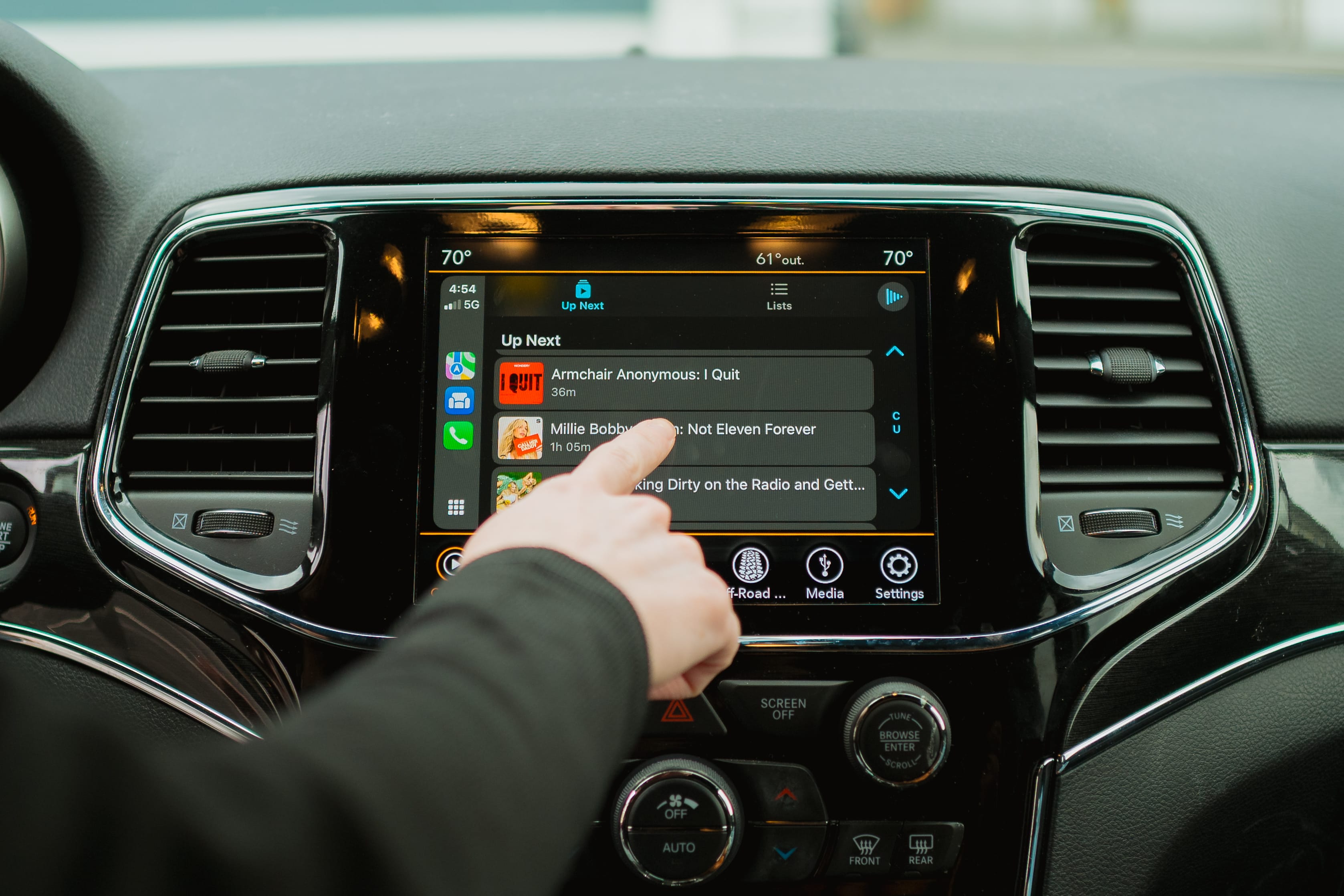
Take It on the Road
Connect to CarPlay and your Up Next queue is right there. Browse episodes, start playback, toggle Voice Boost, and navigate chapters from your car's display. The interface is built for driving.
Start listening in CarPlay and switch to your phone when you get home. Playback continues seamlessly. Queue up episodes the night before and your commute is ready to go.
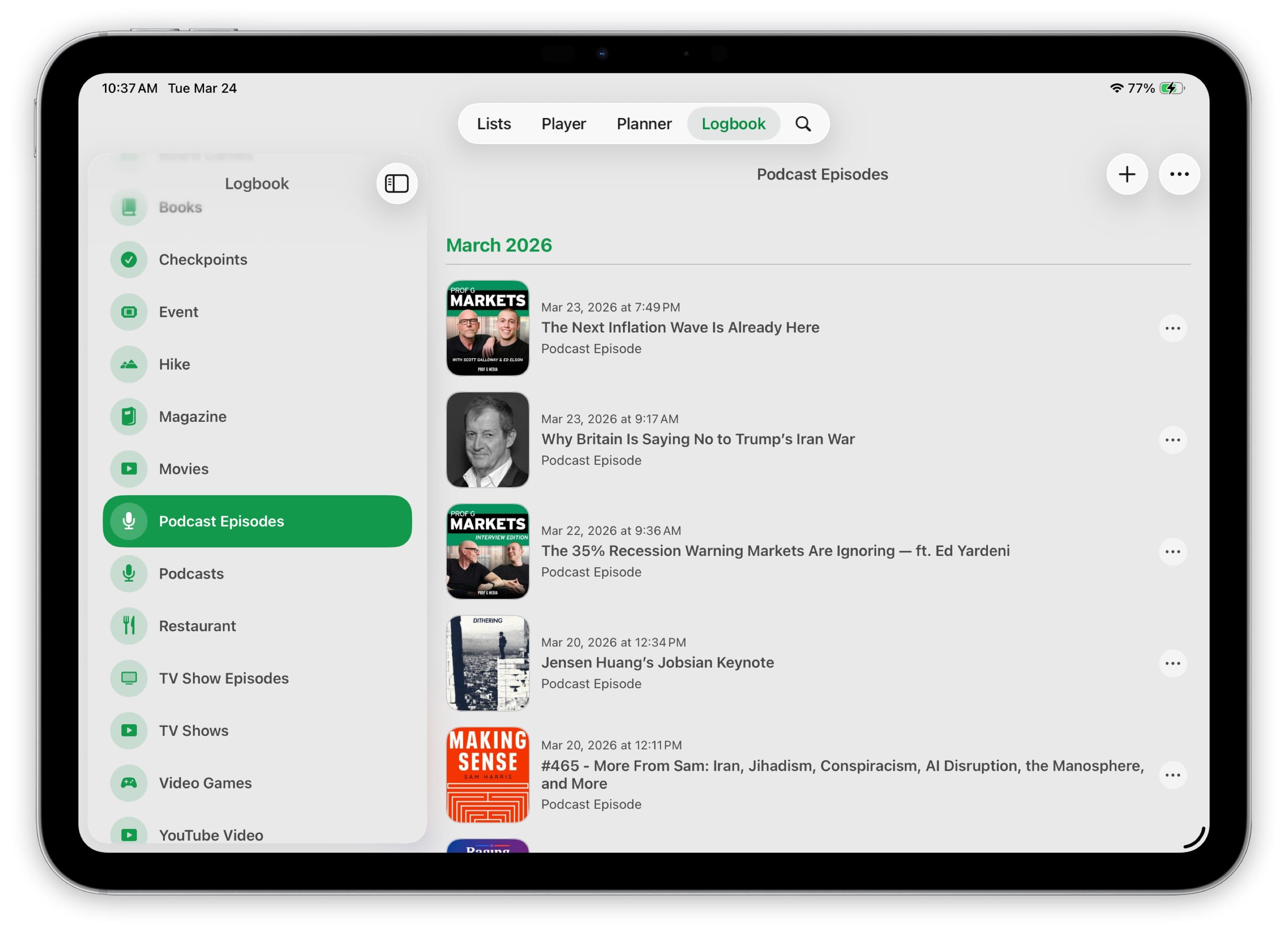
Every Episode, Remembered.
Everything you listen to flows into your Logbook automatically. Your listening history becomes part of your stats without any extra work.
And So Much More.
- Offline Downloads
- Download episodes for planes, subways, and anywhere without a signal.
- Mini Player
- A persistent player across every tab. Your audio never stops while you browse.
- Episode Browsing
- Explore a podcast's full back catalog. Search episodes by title with ranked results.
- Playlists
- Organize your podcasts into playlists for different moods, topics, or routines.
- Listening Stats
- See how much you listen, your peak listening times, and your most-played shows.
- iCloud Sync
- Your library stays in sync across iPhone, iPad, Mac, and Apple Vision Pro.
- Widgets
- Put your Up Next queue or currently playing episode right on your Home Screen.
- Shortcuts
- Automate your listening with Shortcuts actions. Queue episodes, search podcasts, and more from any app.
- OPML Import & Export
- Bring your podcasts from another app or take them with you. Import and export your subscriptions as OPML.