More Organized Than Your Notes App
Build lists and groups for everything you want to watch, read, play, and listen to, with smart filters and flexible layouts to keep it all sorted.
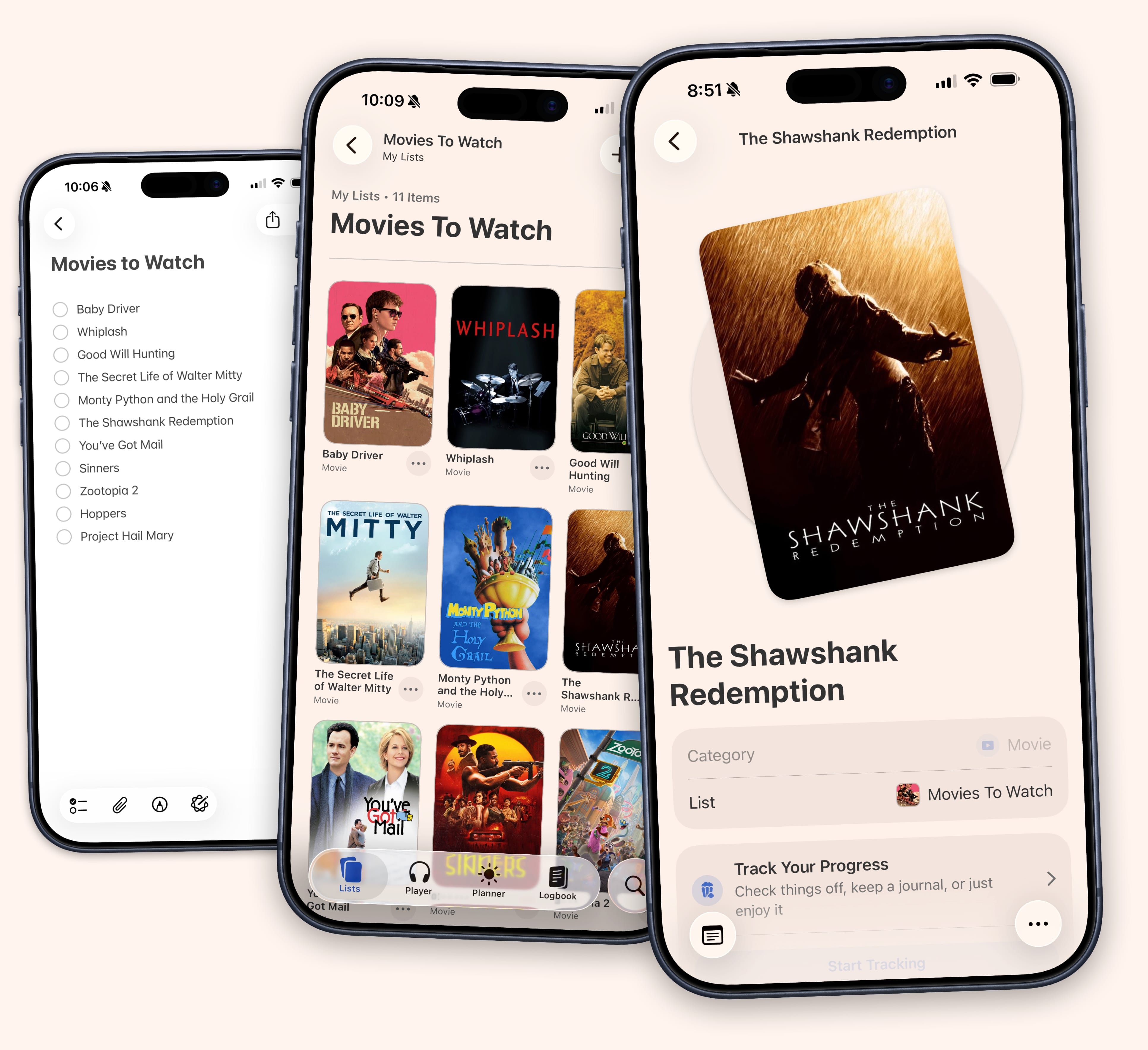
Unlimited Lists & Groups
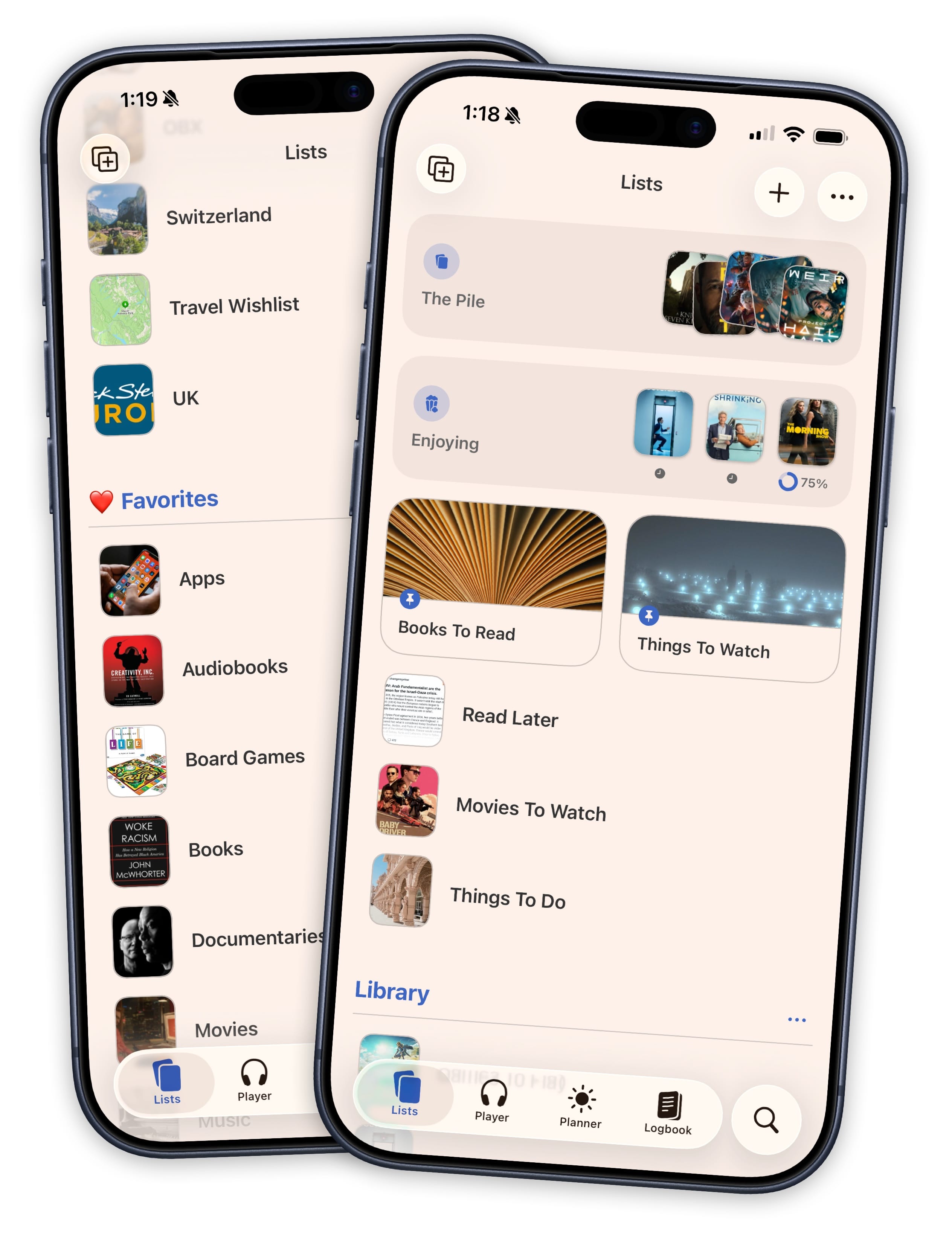
There is no cap on how many lists you can create in Sofa. Make one for every genre, every mood, and all the recommendations people share with you. You can then organize those lists into groups to keep things tidy.
Drag lists between groups, reorder them however you want, and collapse the ones you are not thinking about right now.
Fussy Lists for Fussy People
Your list of stuff keeps growing. Some of it you are working through. Some of it you just want to keep around. Sofa lets you obsess over the details: two list types, four layouts, grouping by genre or author or whatever you want, and filters that stick around.
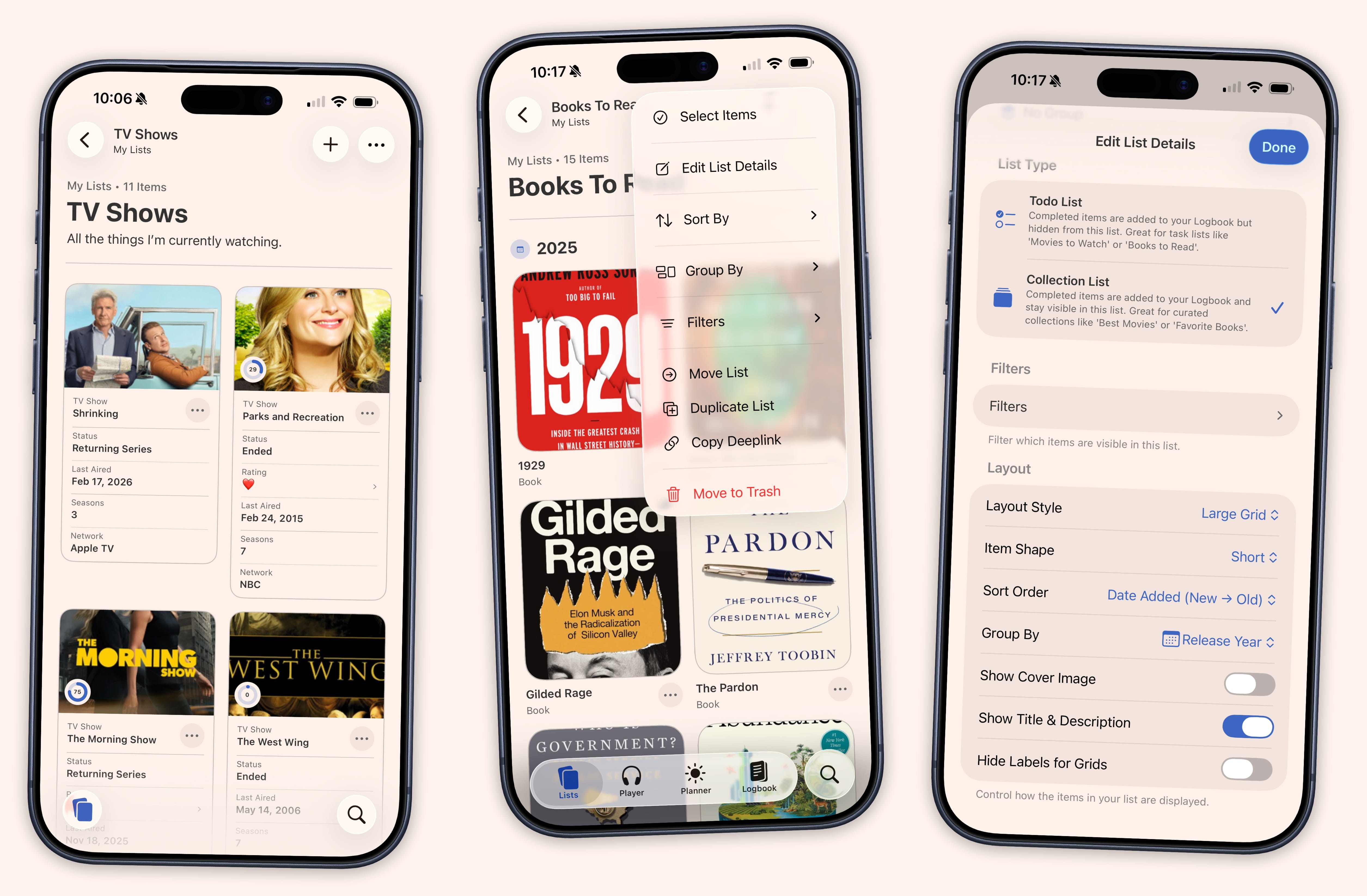
- Todo Lists & Collection Lists
- Todo Lists hide completed items so you can focus on what you haven't enjoyed yet. Collection Lists keep everything visible, like an all-time favorites shelf or a curated recommendations list you share with friends.
- Four Layouts Including Data Cards
- Multiple ways to display your lists including grids, lists, and data cards. Data cards turn a list into a property grid where you can see ratings, genres, runtimes, and custom fields on every card and edit them without opening the detail view.
- Group, Sort & Filter
- Group any list by genre, streaming service, platform, author, release year, or a custom field. Persistent filters let you narrow things down without creating a separate Smart List.
- Multi-Select & Watch Again
- Grab a handful of items and mark them complete, move, copy, pin, or remove them at once. A "Watch Again" action creates a fresh copy with its own date and Logbook entry.
Find Anything. Add Anything.
The Search tab in Sofa combines two things that used to live in different places. Your library and new content, in one search bar. Type a title and see where it lives in your lists alongside fresh results you can add with a single tap.
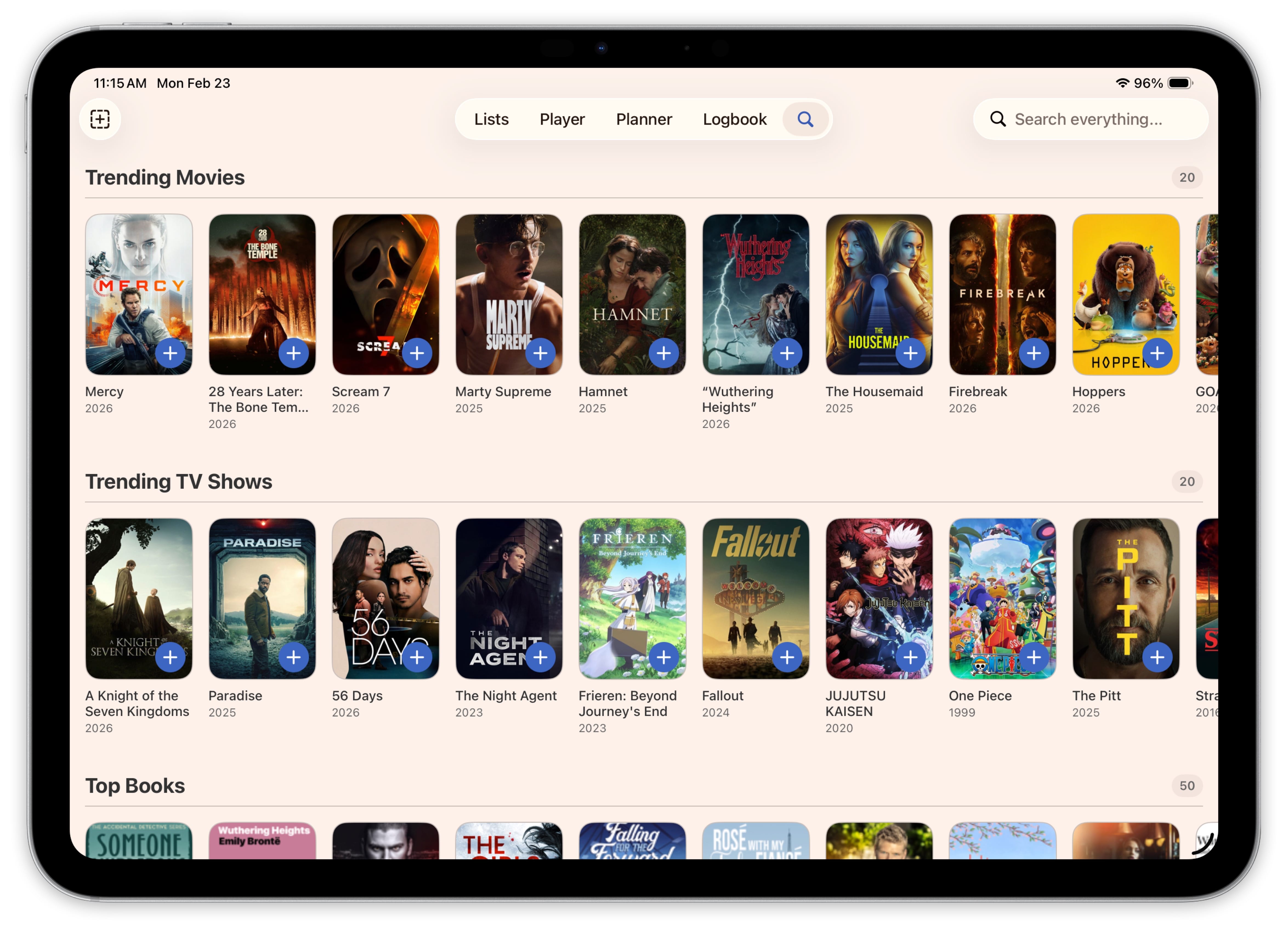
Open the tab without typing anything and you get trending movies, top podcasts, popular games, and more, laid out in browsable rows. This is a great way to find new things to enjoy.
Save Websites, Articles, and Those A.I. Cat Videos Your Mom Keeps Sending You
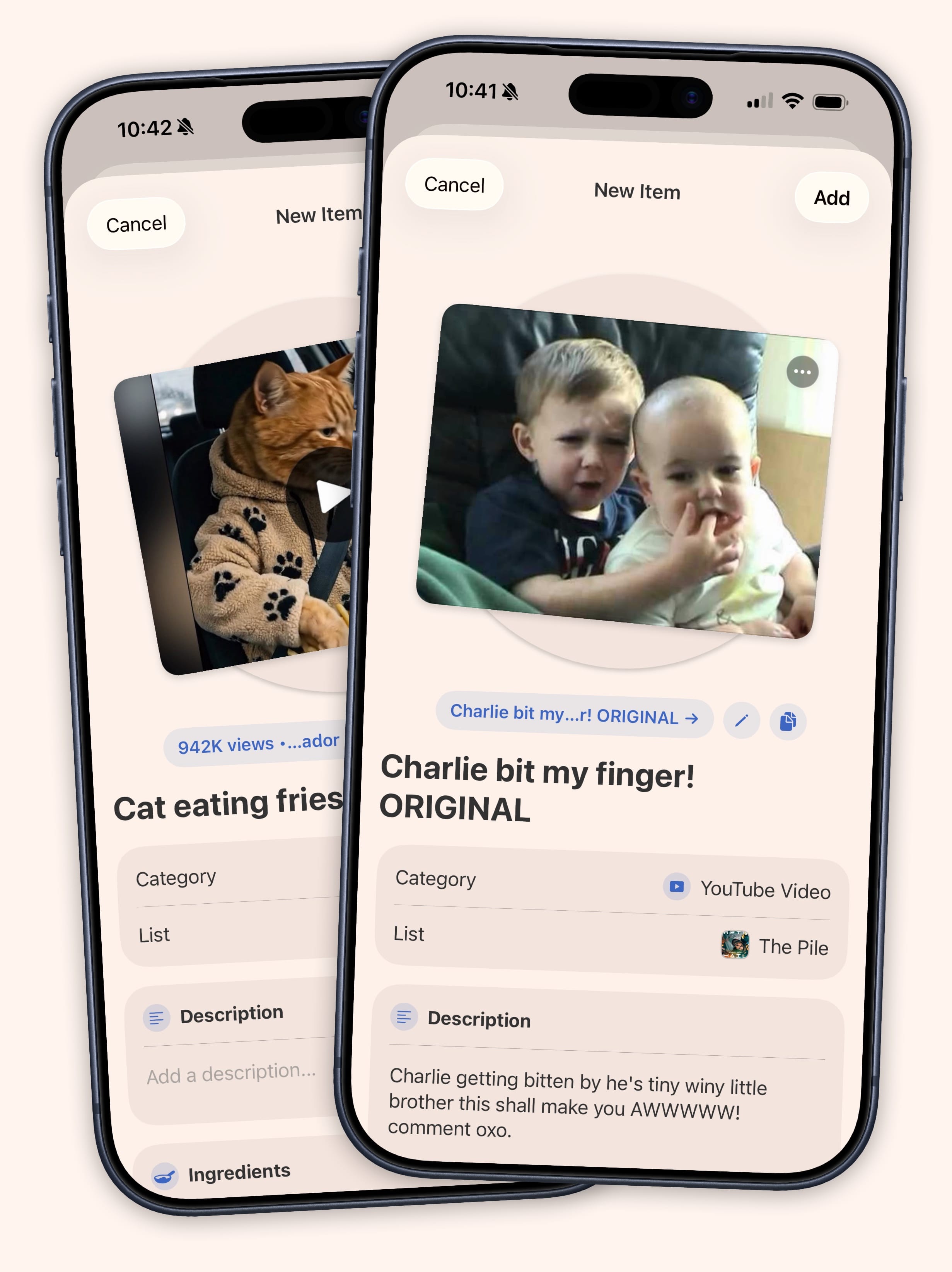
Not everything you want to track lives in a searchable database. Sofa has always let you add items by hand. Type in a title, paste a link, or share a web page straight from Safari using the share sheet.
In Sofa, those items get the same detail fields as anything you find through search. Add a book manually and you get Author, Release Date, and Genre. A video game gets Platform and Time to Beat. Nine categories, each with tailored fields that appear the moment you pick a type. Fill in what you know, leave the rest blank.
The fields plug into everything. Fill in an Author on a book you added months ago and it shows up in your "Author contains Sanderson" Smart List. Group your manually-added games by Platform and they slot right in alongside everything else. No migration steps, no re-adding items. Every item in your library gets the full treatment, no matter how it got there.
Let Sofa Create Lists For You With Smart Lists
You know exactly what you are in the mood for, you just can't find it. A short TV show you haven't started, or a podcast under thirty minutes from that one publisher you keep meaning to try. Smart Lists pull it out of your library for you, with dozens of filters covering episode count, air date, runtime, platform, listening progress, and more.
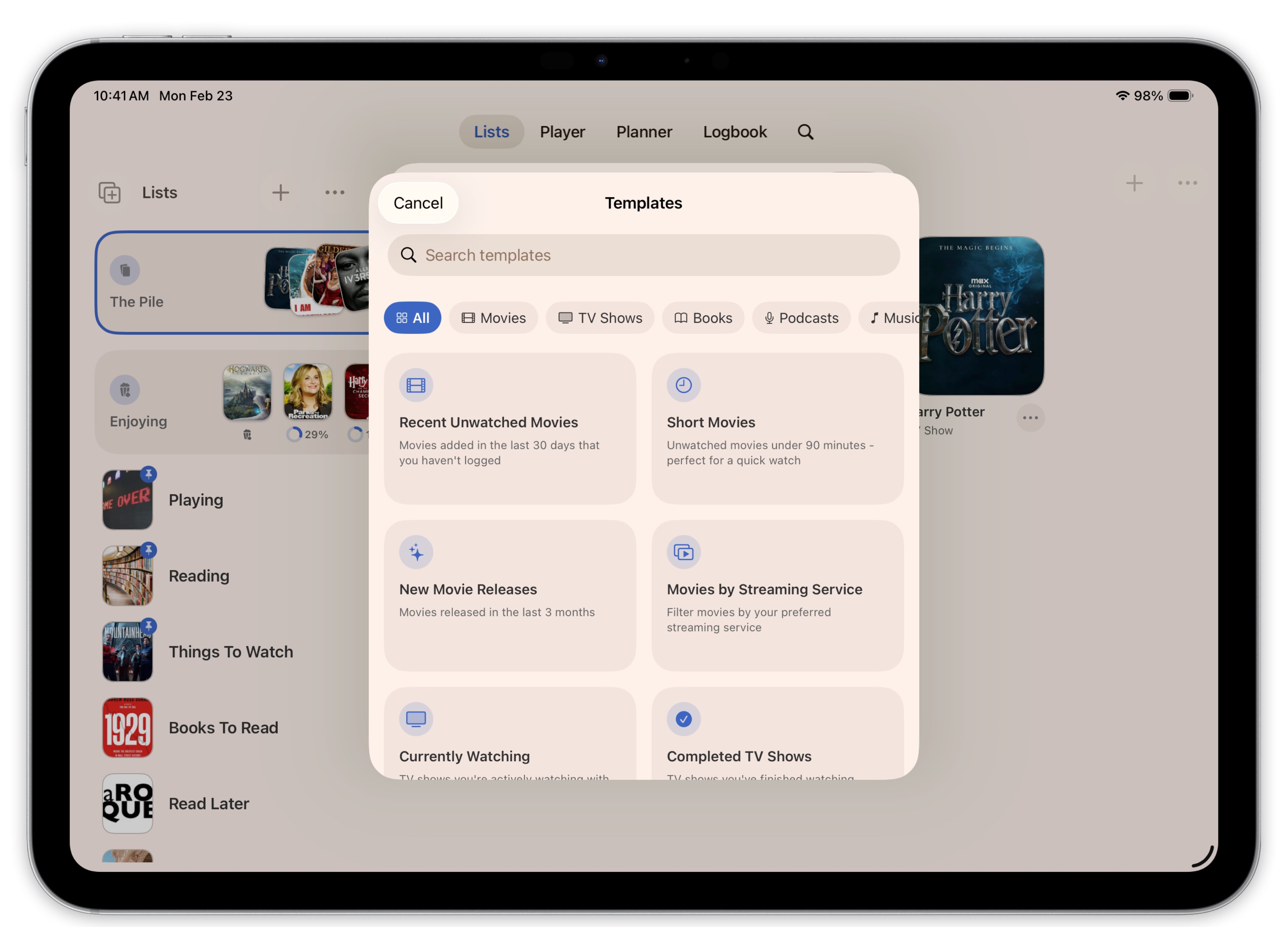
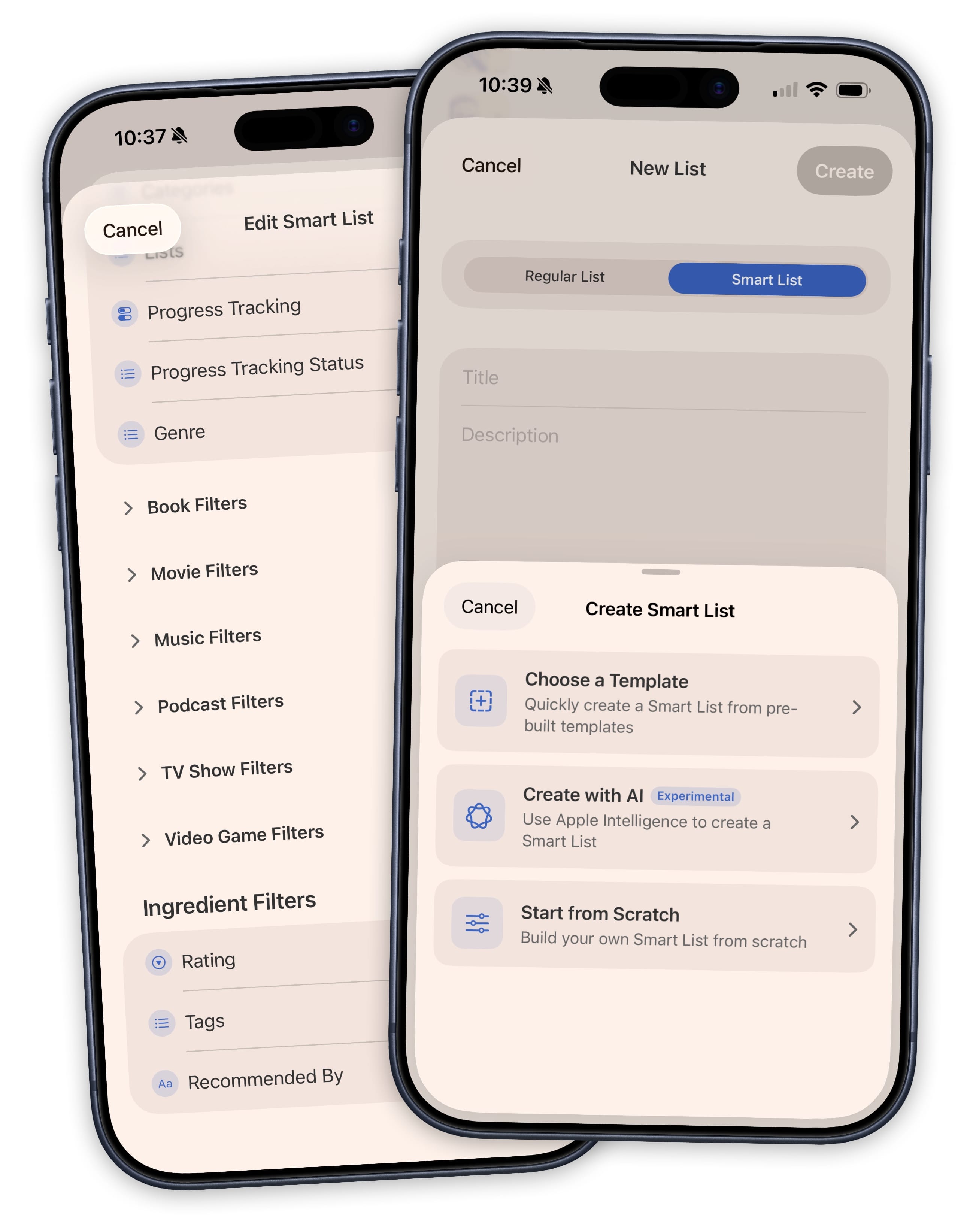
You can also create your own filters. Custom fields called Ingredients let you add a rating system, tags, a "Recommended By" field, or anything else you want to track. Once you have tagged a few items, a Smart List can surface only the ones that match. Pre-built templates get you started with star ratings, thumbs up/down, and status trackers so you do not have to build everything from scratch.
Smart Lists update in real time. Mark a movie as watched, change a tag, adjust a rating, and every Smart List that cares about that data instantly reflects the change. No manual list management required.
On devices that support Apple Intelligence, you can create Smart Lists by describing what you want in plain language. Like "action movies on Netflix I haven't watched", and Sofa builds it for you automatically.
Cook Up Your Own Recipes With Ingredients
Sofa tracks the basics for information like genre, release date, and runtime. But the things that actually matter to you are different. Maybe you want to rate everything on a five-star scale. Maybe you want a "Recommended By" field so you remember who told you about a book. Maybe you track the price you paid for every game.
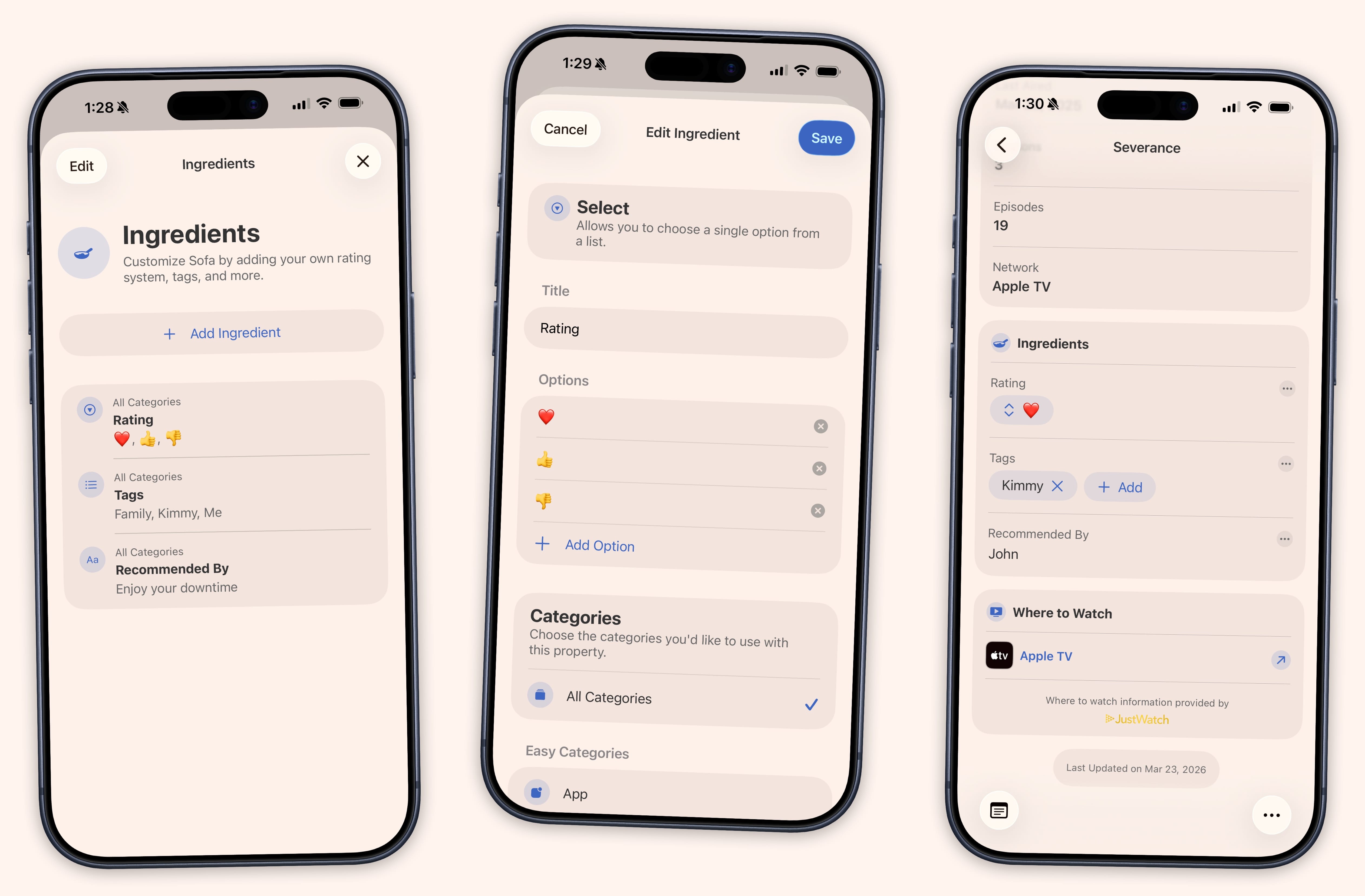
Ingredients are custom fields you create once and attach to any category. Seven types cover everything: text, numbers, dates, links, checkboxes, single select, and multi select. A "Priority" field with High, Medium, and Low. A "Mood" field with tags you define. A currency field for tracking what you spent. Create as many as you want, assign them to the categories that make sense, and they show up on every matching item in your library.
The payoff is when Ingredients meet Smart Lists. Add a "Watched With" field and suddenly you have a running history of date-night movies that maintains itself.
And So Much More.
- Home & Lock Screen Widgets
- See what you are currently enjoying with cover art and progress rings, right on your home screen.
- 40+ Shortcuts Actions
- Add items with Siri, build automations, and let other apps send content into Sofa.
- Share Sheet
- Save links, articles, and videos straight from Safari or any app without opening Sofa.
- iCloud Sync
- Your library stays in sync across iPhone, iPad, Mac, and Apple Vision Pro.
- Content Categories
- Movies, TV, books, games, podcasts, music, apps, and anything you add manually.
- Pinned Lists
- Pin your most-used lists to the top of the sidebar so they are always one tap away.
- Pinned Items
- Pin items to the top of any list so your priorities never get buried.
- Notes
- Add personal notes to any item — thoughts, recommendations, or anything you want to remember.
- Custom Categories
- Create your own categories to track whatever you want.
- Duplicate Detection
- Sofa flags duplicates in your lists so you do not accidentally add the same thing twice.
- Automatic Data Backups
- Your library is automatically backed up so you never have to worry about losing your data.
- 100+ Themes
- Pick from over a hundred themes to make Sofa look exactly the way you want.
- 70+ App Icons
- Swap the app icon to match your style with over seventy options to choose from.
- Tons of Settings
- Fine-tune nearly every part of the app to fit the way you like to use it.