Sofa Just Got a Lot Smarter

Sofa 5.3 is all about the new stuff in Apple’s latest OS updates. Search Sofa from your Home Screen, point your camera at a book cover to see if it’s already in your library, and get a written recap of your month in the Logbook. Plus much better TV rewatching, safer backups, and a round of fixes.
Spotlight Search
Search from your Home Screen and you’ll find your items, lists, planner events, notes, and tasks, complete with cover art. Tap a result and Sofa opens straight to it. No need to open the app first and hunt around.
Visual Intelligence
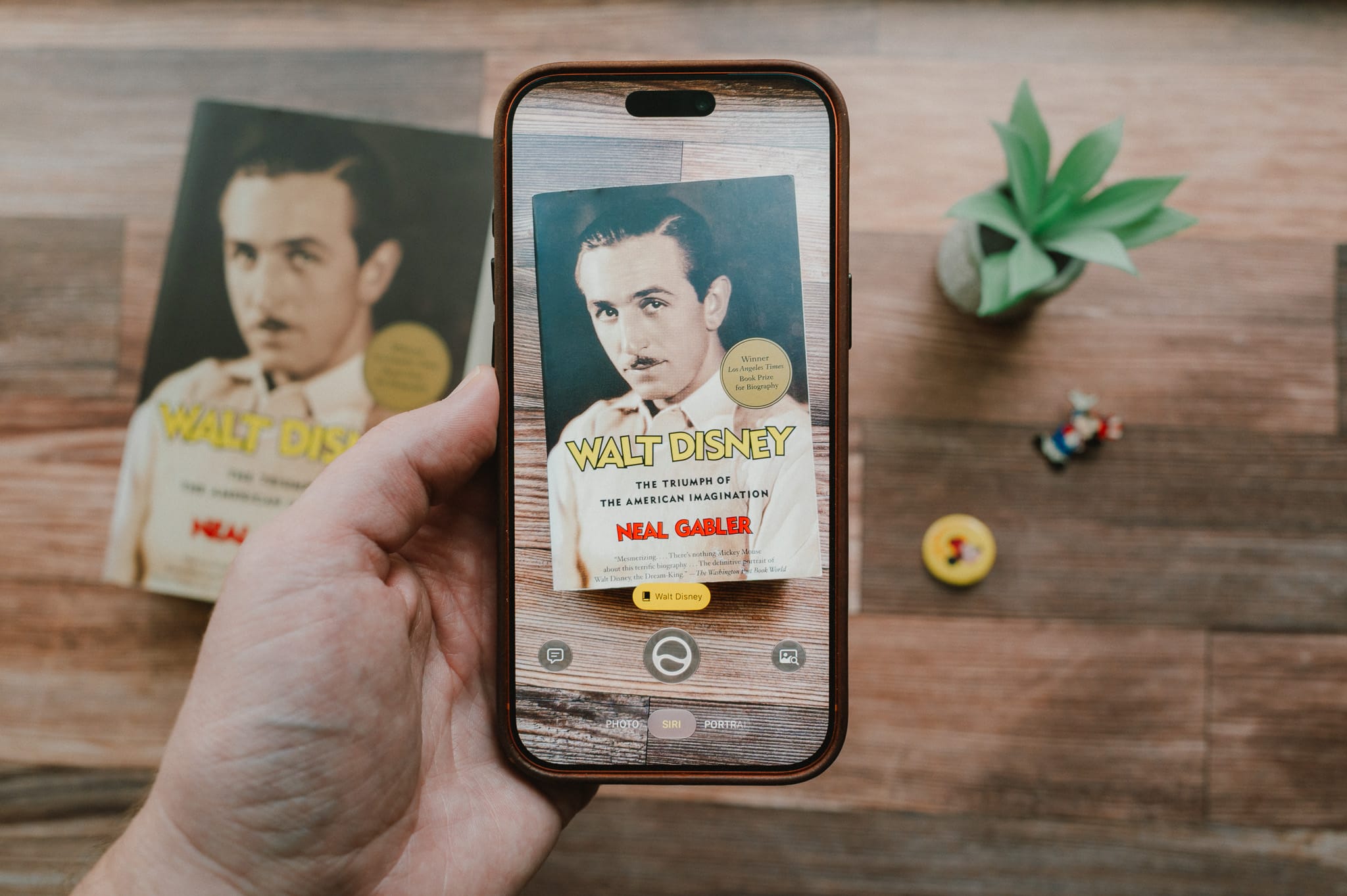
This one is fun. Point your camera at a book cover, movie poster, or game box and Sofa tells you whether it’s already in your library. If it isn’t, you get results you can add on the spot.
It works from Apple’s Visual Intelligence camera and from the new camera button in Sofa’s search bar. If nothing matches, you can turn the photo into a custom item without losing the shot. Great for that stack of books at the used bookstore or the wall of games at a friend’s house.
Logbook Recaps
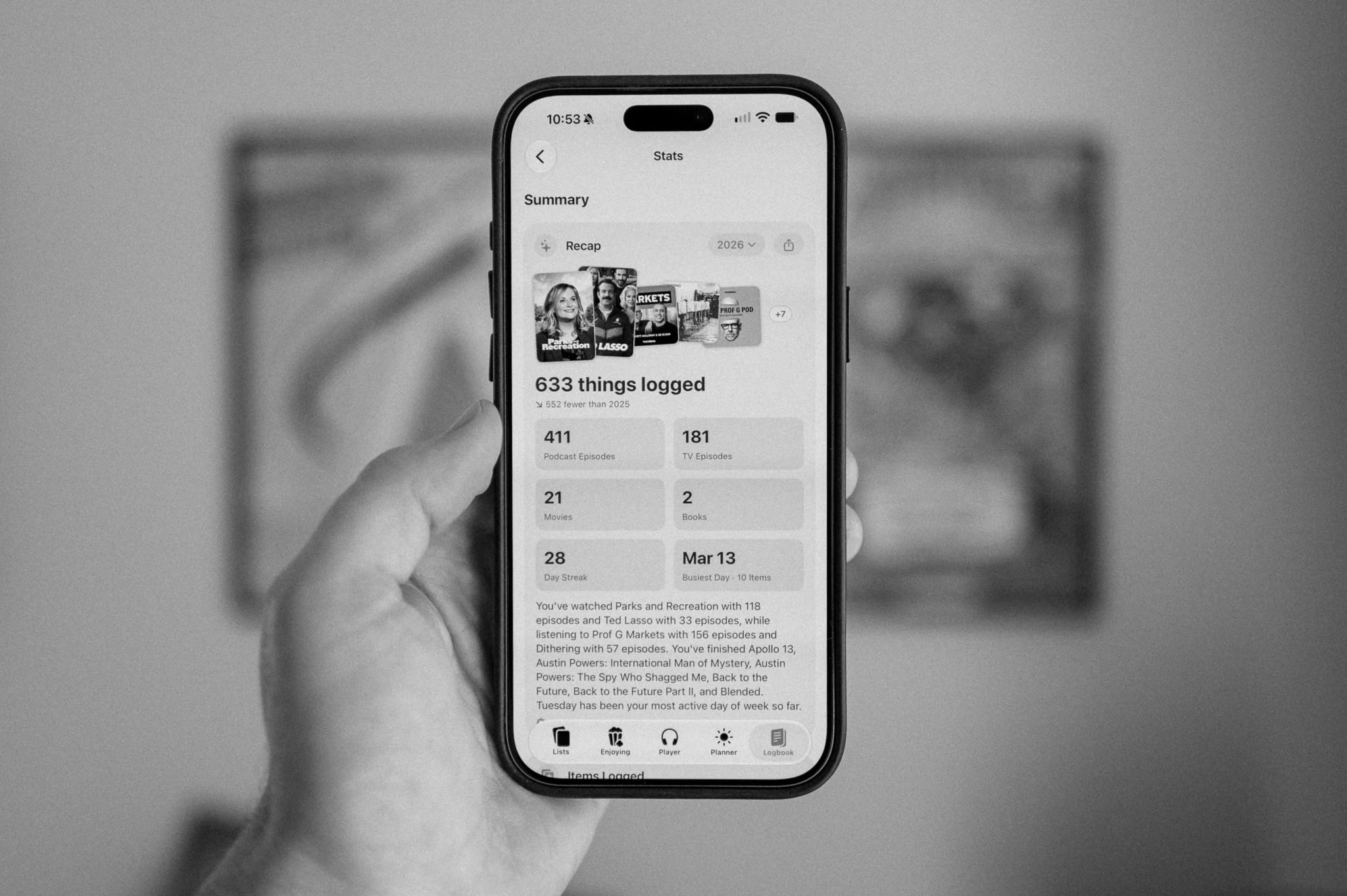
Super Sofa. Your month and year in the Logbook, written up as a card: what you finished, what you kept coming back to, and when you were most active. It’s generated on your device, and you can share it.
Describe a Plan, Get an Event
Super Sofa. Type out a trip the way you’d say it, something like “Weekend in Portland with the kids, April 10 to 12, near the waterfront, bookstore day, budget around $600,” and Sofa fills in a draft event with dates, location, itinerary, and budgets.
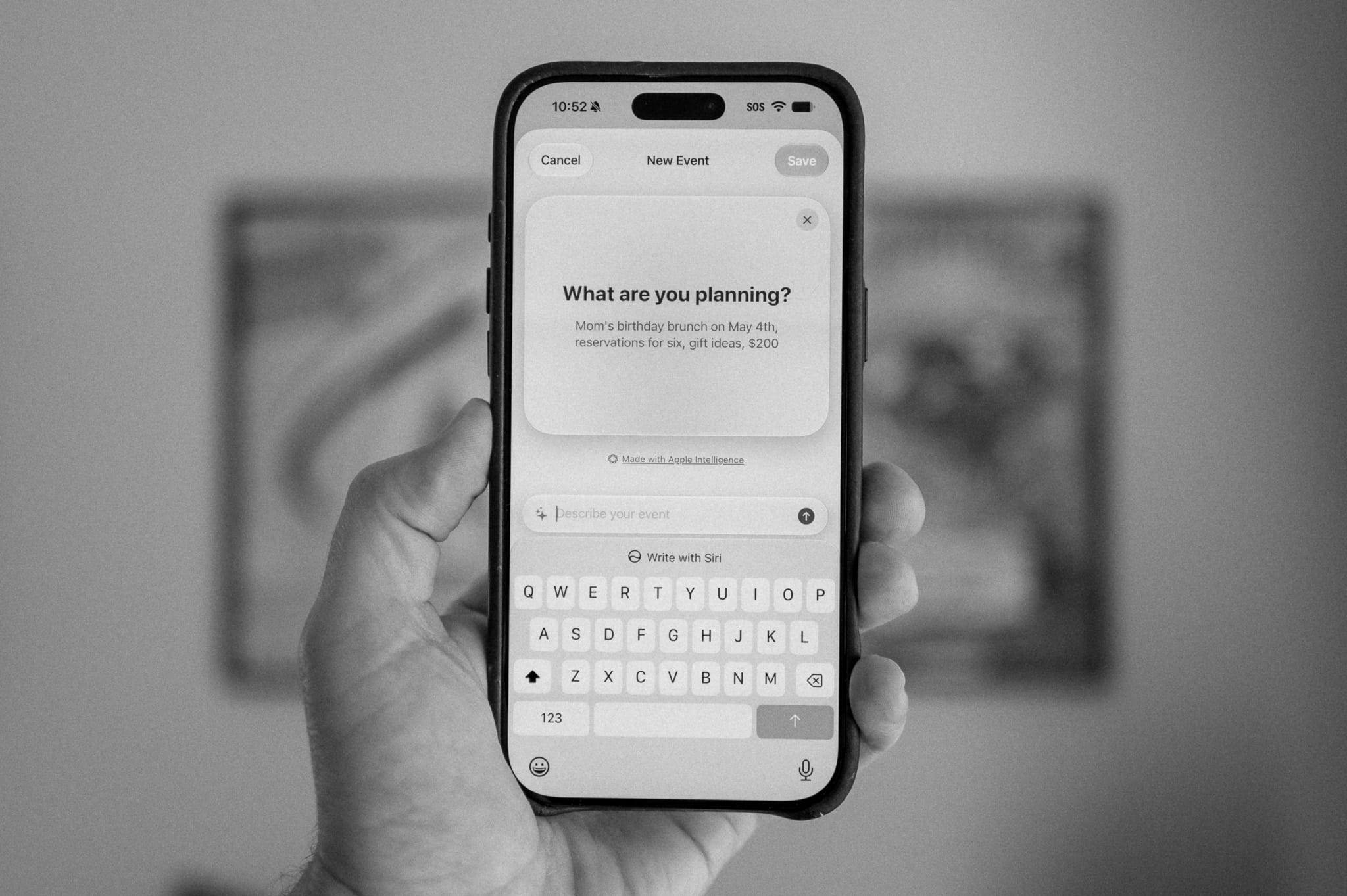
Nothing is saved until you review it, so you can tweak whatever Sofa got wrong before it lands in your Planner.
Generated Covers
Super Sofa. Make custom artwork for lists, items, and events with Image Playground, right alongside the camera and photo options you already had.
Share Event Plans
Share event plans as text, Markdown, a calendar file, or a printable PDF. The calendar export drops your whole trip into any calendar app as real timed events, timezones and all. This is a great way to quickly get a trip’s itinerary to the other people going on it.
New Widget Sizes
All Sofa widgets now support the new full-page portrait extra-large size, plus the landscape XL size on iPad and Mac.
TV Rewatching
TV rewatching is much better. Watch Again now preserves your previous watch in the Logbook before starting fresh, including watched episodes, dates, and notes. You can also log individual episodes multiple times without overwriting earlier views, see separate watch histories for shows and episodes, and track how many times you’ve watched each episode.
Rewatches now count toward your stats and streaks, too, including a new Most Watched Episodes stat.
Better Backups
Backups are now safer and more reliable. Sofa verifies backups before saving them and creates a safety copy before importing, so your library can be restored if something goes wrong. Corrupted data is also handled more gracefully, along with backup files renamed by iOS.
Bug Fixes
A few fixes worth calling out:
- Podcast playback position no longer gets lost or rewound when syncing between devices.
- Book details are no longer wiped by the daily refresh when it returns an empty response.
- Board games are now local-only, as intended, instead of being refreshed against an API that no longer exists and losing their details.
- A real Author or Genre can no longer be overwritten with “Unknown” by a thin re-fetch.
- Smart Lists handle completed items correctly. Phantom duplicates from Logbook history are gone, and Smart Lists set to “Todo List” now move logged items to the Completed section instead of hiding them.
- See the full release notes
- Download Sofa from the App Store