Enjoying on the Home Screen
Last Updated:
Super Sofa Feature
Progress Tracking requires a Super Sofa subscription.
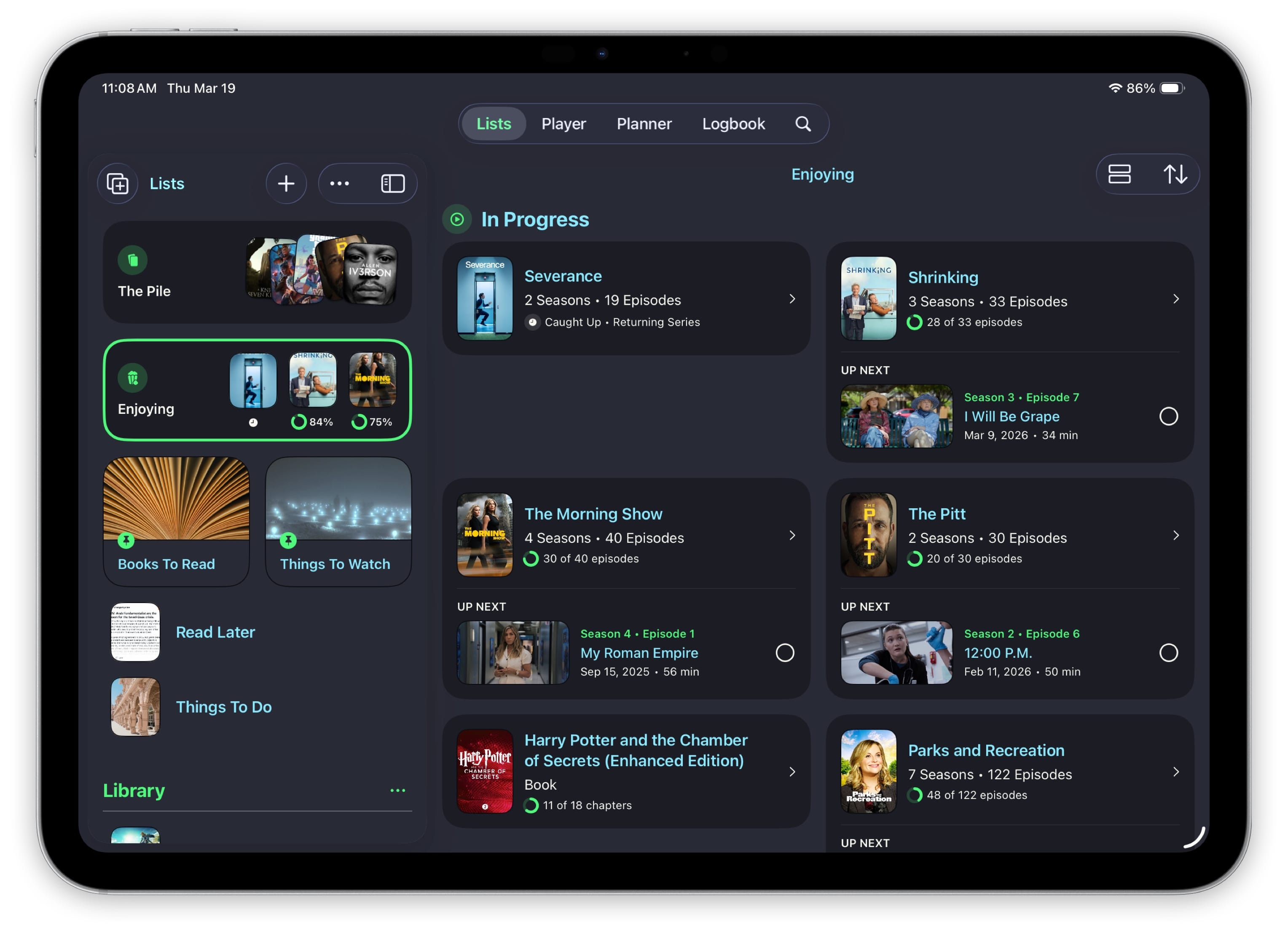
The Enjoying section on your home screen shows you exactly where you left off across all the items you’re currently tracking. No more digging through lists to figure out which episode you’re on.
How It Works
When you’re actively tracking a TV show, book, game, or any other item, it will appear in the Enjoying section. Each card shows:
- The item’s cover art with a progress ring
- The next episode or checkpoint to pick up from
- A quick action to mark the next item as complete
Sorting
Items in the Enjoying section are sorted by your most recent activity. The thing you interacted with most recently appears first, so your current binge is always front and center.
When Items Disappear
An item leaves the Enjoying section when you’ve finished it — all episodes watched, all checkpoints completed, or you’ve marked it as done. You’ll see a celebration moment when that happens.