Tracking TV Shows
Last Updated:
Super Sofa Feature
Progress Tracking requires a Super Sofa subscription.
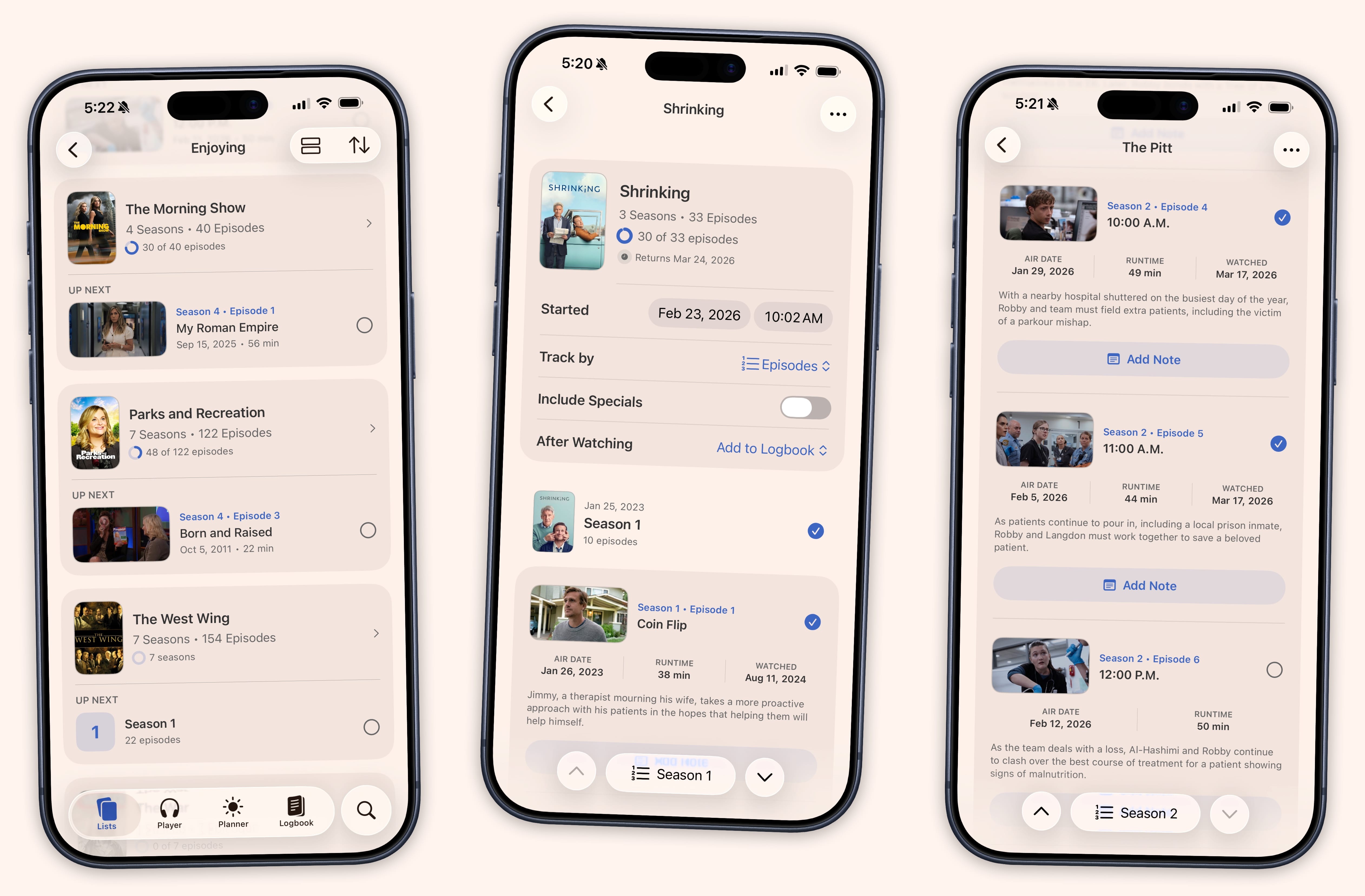
Sofa makes it easy to track your progress through TV shows, episode by episode. When you add a TV show to a list, Sofa automatically fetches all the episode data for you — no manual setup required.
Getting Started
- Add a TV show to any list
- Tap the show to open its detail view
- Tap “Track Progress” to start tracking
Sofa will automatically pull in all seasons and episodes. You’ll see a progress ring on the show’s cover art that fills in as you watch.
Marking Episodes as Watched
There are several ways to mark episodes:
- Tap the checkbox next to any episode to mark it as watched
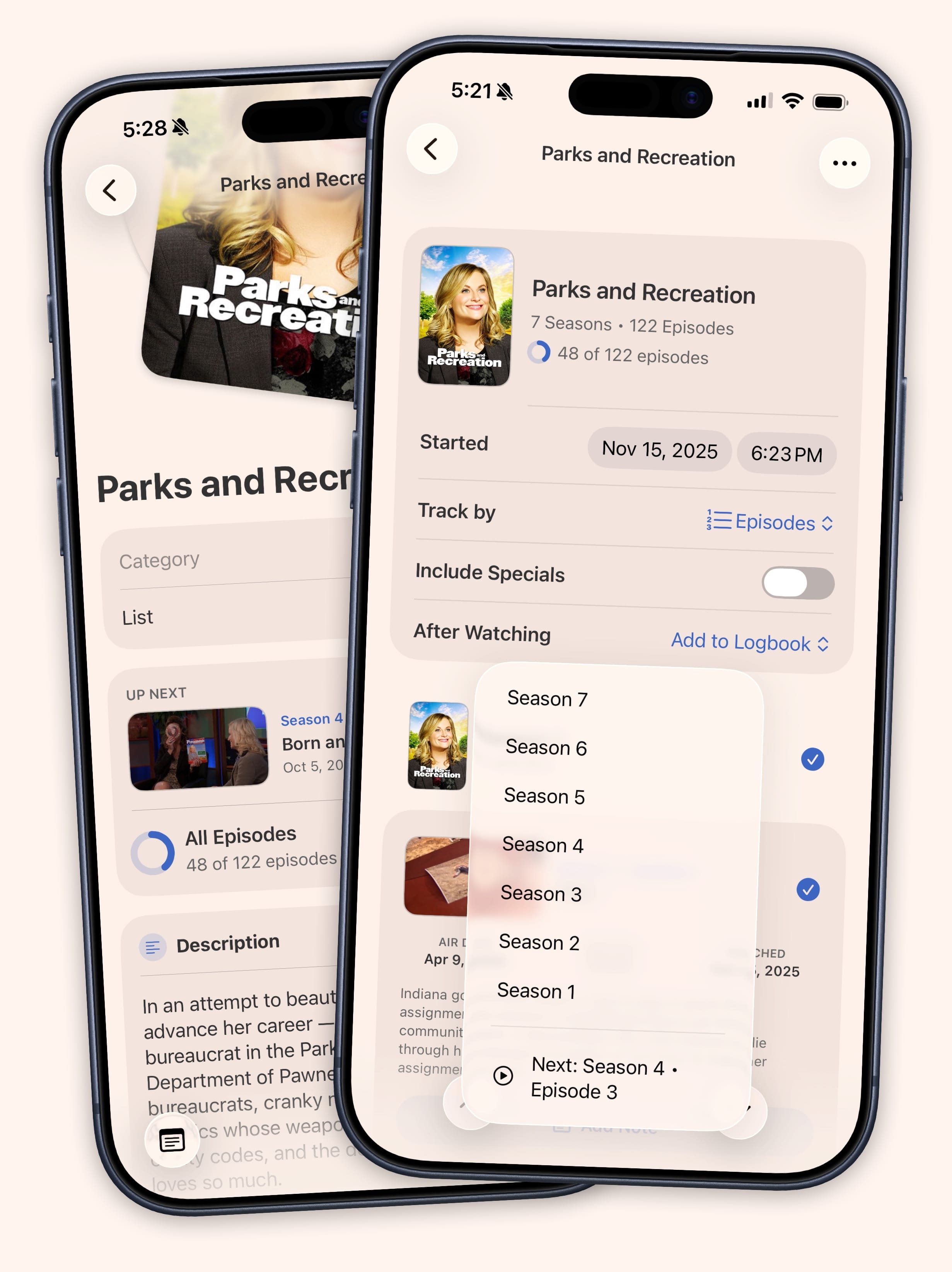
- Mark All Up to Here — Long-press an episode and select this option to catch up after a binge session
- Mark entire season — Tap the season header to mark all episodes in that season as watched
Season-Level Tracking
If you prefer not to track individual episodes, you can switch to season-level tracking. This shows your progress as “2 of 5 seasons” instead of counting every episode.
To switch, open the show’s tracking view and look for the tracking level option.
Hidden Specials and Unaired Episodes
Sofa automatically hides specials and episodes that haven’t aired yet. This keeps your progress percentage accurate — you won’t see 50% on a show just because half the episodes haven’t been released.
Backdating Episodes
Already watched a few episodes before you started tracking? No problem. Long-press any episode and choose a past date to backdate when you watched it.