Logging Activity
Last Updated:
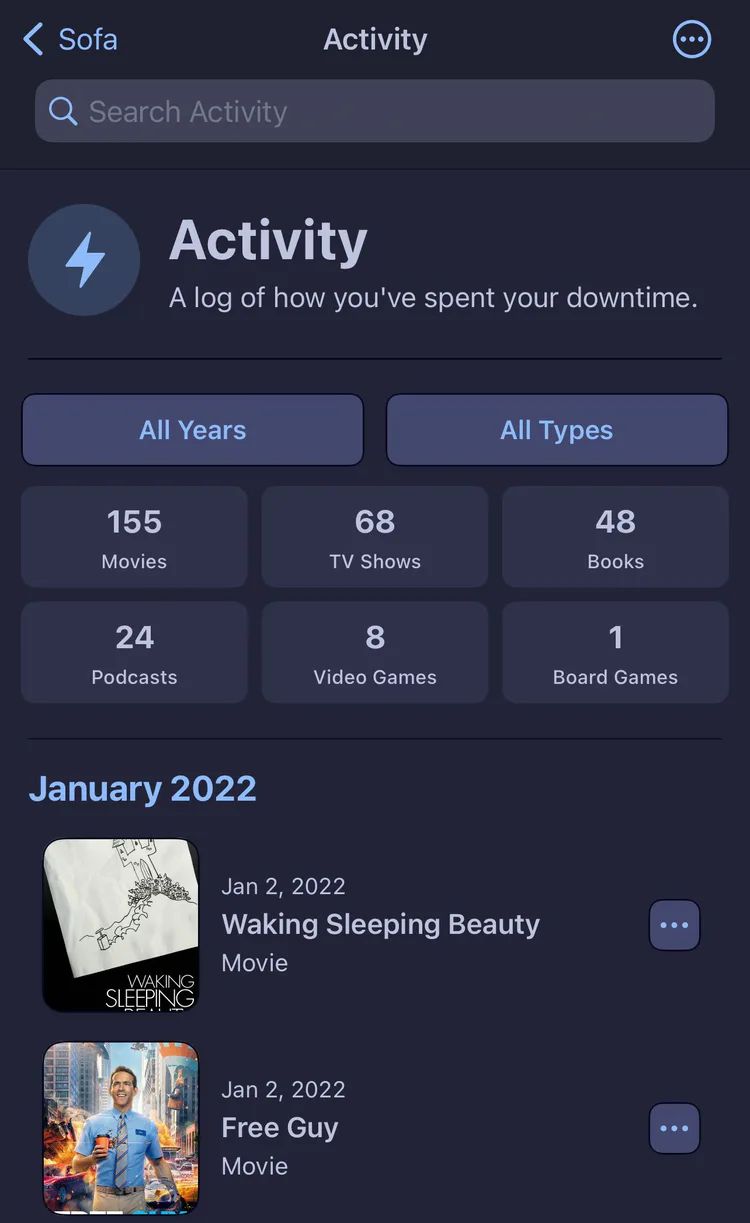
Sofa allows you to easily keep a log of the things you’ve watched, read, played, and listened to. The next time someone asks, “Have you watched anything good lately?”, pull up your Logbook.
Adding to the Logbook
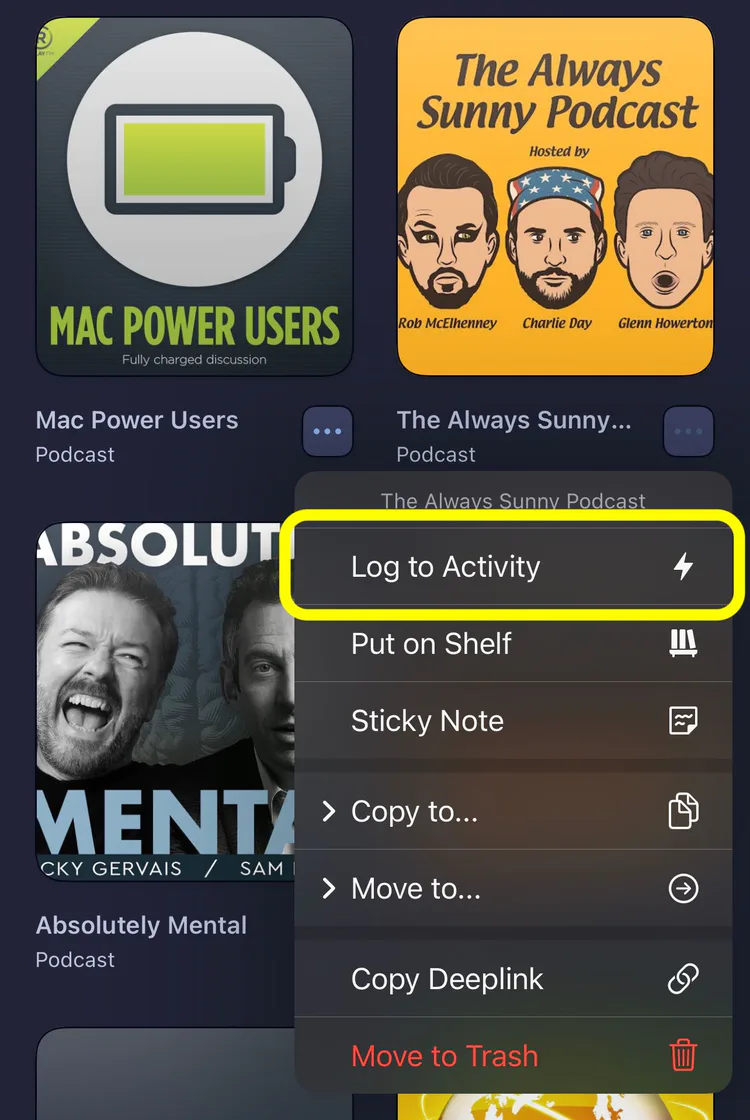
Within a list, each item has a number of actions you can perform. You can access these by pressing the ••• button or long press on an item. Tap “Mark Complete” to add the item to your Logbook.
Items are also added to the Logbook automatically when you finish tracking progress — for example, when you watch the last episode of a TV show.
The behavior of what happens to a list item when it’s logged can be changed via Editing Lists.
Stats and Insights
Your Logbook is more than a history — it’s full of insights about your habits. Check out Logbook Stats and Insights to see charts, fun facts, and year-over-year comparisons based on everything you’ve logged.
Examples
People use the Logbook in a number of ways and Sofa is designed to be flexible to work with various workflows.
What happens to an item when you add it to the Logbook depends on the list type.
Collection Lists
This is best for curated lists you revisit. For example, you may have a “Scary Movies” list that you pull up every Halloween. When you finish watching a movie from this list, you log it and it stays in the list.
Todo Lists
This is best for backlogs. For example, you may have a list called “Movies to Watch” and when you watch one of those movies you want to log it and have it move to the Completed section, keeping your list focused on what’s left.
Important Logbook Changes with Version 5
-
Basic logging is still there, and still free. It’s just renamed. On the Breaking Bad detail screen, the button you want is “Complete & Log” (checkmark icon) — that’s the new name for “Add to Logbook.” You can also long-press Breaking Bad in your list and pick “Complete & Log” to log it without opening the detail view. Tapping that logs it to your logbook with today’s date, exactly like before. “Start Tracking” is a different, new feature — it’s for following a show episode-by-episode (marking individual episodes watched, resuming where you left off, etc.). That one’s part of Super Sofa, which is why it prompts a subscription. It’s an optional add-on, not a replacement for logging.
-
The logging workflow did genuinely change in one way. Under the hood, 5.0 stopped creating a separate copy in the logbook every time you log something. Now logging flips a “logged” flag on the item itself, which keeps everything in one place and fixes a bunch of sync issues between the list and the logbook. The tradeoff: if you used to log the same show multiple times (e.g., watched Breaking Bad again a year later and wanted a second entry for that date), that now takes an extra step instead of one tap.
To log the same show a second time: on the completed item, tap “Watch Again” (or long-press → Watch Again). That puts a fresh copy of the show back into your list, and you can mark that copy complete whenever you finish the rewatch — which adds a second logbook entry with the new date. For podcasts there’s a “Listen Again” button that does the same thing in one tap, since re-listening is more common.
You can always still add items directly to the Logbook too.